
AI-Assisted Script Drafting for Social Ads: Guide
AI-Assisted Script Drafting for Social Ads: Guide
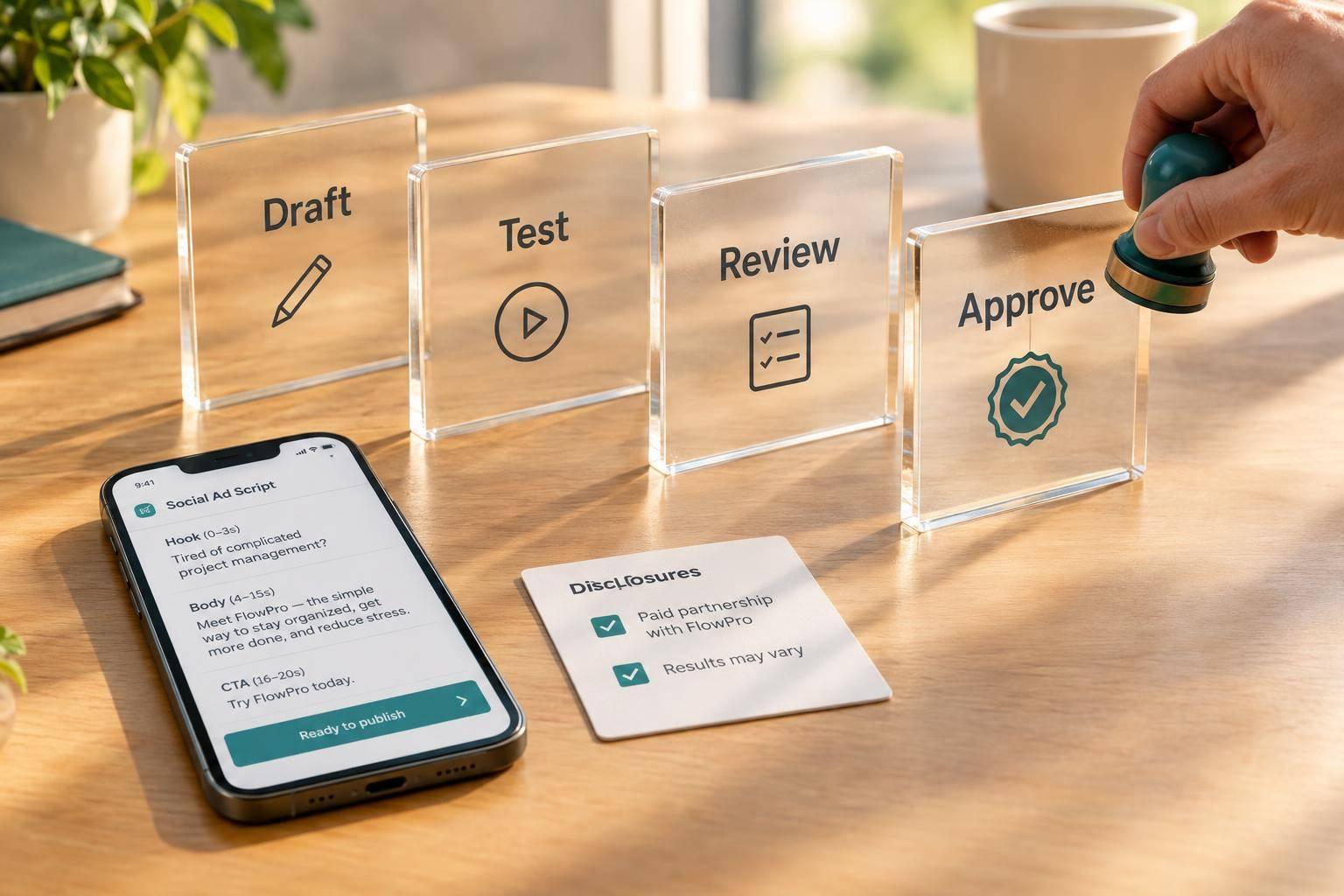
I use AI to draft social ads - not to approve them. My process starts with one audience, one goal, and verified facts, then moves through drafting, testing, and human review.
Here’s the workflow I follow:
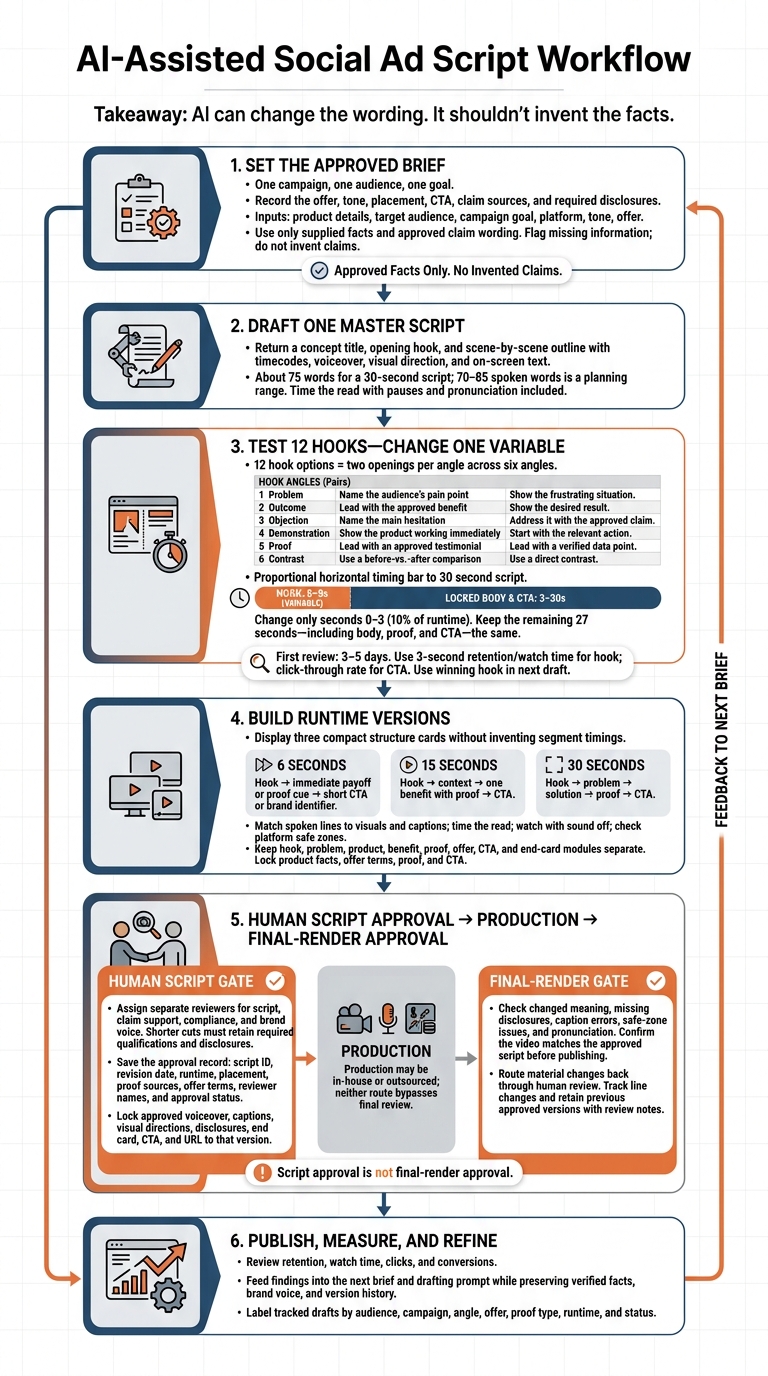
- Set the brief: Record the offer, tone, placement, CTA, claim sources, and required disclosures.
- Draft and test: Build one master script and 12 hook options. For a 30-second test, change only the first 3 seconds - 10% of the runtime - to compare openings.
- Plan each cut: Turn approved script sections into 6-, 15-, and 30-second versions. Match spoken lines to visuals and captions, then time the read.
- Check the results: Review retention, watch time, clicks, and conversions to guide the next draft.
- Approve before publishing: Track versions and have people check claims, brand voice, and disclosures. Whether production stays in-house or goes to Sun Scroller, <u>the finished video needs its own review</u>.
The rule I keep coming back to: AI can change the wording. It shouldn’t invent the facts.
AI Social Ad Scripts: Brief-to-Approval Workflow
Draft Scripts and Test Hooks
Write a Structured Drafting Prompt
Once the brief is approved, ask for one master script with controlled variations - not 12 unrelated rewrites. Attach the approved brief and use this reusable prompt:
Draft a social ad using the attached approved brief.

Inputs: product details, target audience, campaign goal, platform, tone, and offer.

Use only supplied facts and approved claim wording. Flag missing information; do not fill gaps with invented claims.

Return a concept title, opening hook, and scene-by-scene outline
with timecodes, voiceover, visual direction, and on-screen text.

For a 30-second draft, use:
0–3 seconds: hook
3–10 seconds: problem
10–25 seconds: solution and proof
25–30 seconds: one CTA

Match pacing to the placement. Keep captions and key visuals
clear of platform overlays.
Aim for about 75 words for a 30-second script.
Build a 12-Hook Test Matrix
Use the master script as your base, then test different openings. Build a 12-hook matrix: two openings per angle, each tied to the approved offer and fitting the same 0–3-second window. Every hook should connect to the same audience pain point, outcome, or objection in the brief.
| Angle | Opening 1 direction | Opening 2 direction |
|---|---|---|
| Problem | Name the audience’s pain point | Show the frustrating situation |
| Outcome | Lead with the approved benefit | Show the desired result |
| Objection | Name the main hesitation | Address it with the approved claim |
| Demonstration | Show the product working immediately | Start with the relevant action |
| Proof | Lead with an approved testimonial | Lead with a verified data point |
| Contrast | Use a before-vs.-after comparison | Use a direct contrast |
Test One Variable and Log Results
For a 30-second hook test, change only seconds 0–3. Keep the remaining 27 seconds - including the body, proof, and CTA - the same. That way, you’re testing the opening, not a different ad.
Label each draft by audience, campaign, angle, offer, proof type, runtime, and status so your test results stay easy to track. Judge hook strength with 3-second retention or watch time, and use click-through rate to assess the CTA.
Wait 3–5 days before your first review. Use the winning hook in the next draft.
Write 6-, 15-, and 30-Second Versions
Choose a Structure for Each Runtime
Once you’ve chosen the winning hook, turn it into 6-, 15-, and 30-second versions using the same approved modules.
A 6-second ad needs an immediate payoff. A 15-second ad has room for context. A 30-second ad can build the case before the CTA.
| Runtime | Recommended structure |
|---|---|
| 6 seconds | Hook → immediate payoff or proof cue → short CTA or brand identifier |
| 15 seconds | Hook → context → one benefit with proof → CTA |
| 30 seconds | Hook → problem → solution → proof → CTA |
With the structure in place, map each line to what viewers hear and see.
Match Voiceover, Visuals, and Captions
Use 70–85 spoken words as a planning range for a 30-second ad, then time the read. Match each line to the voiceover, visuals, and captions.
| Timecode | Voiceover direction | Visual / on-screen text direction |
|---|---|---|
| 0:00–0:03 | Deliver the hook with a clear pattern interrupt. | Show the relevant action. Make the opening message readable without sound. |
| 0:03–0:10 | Briefly name the problem. | Show the situation clearly. |
| 0:10–0:25 | Explain the solution, key benefit, and approved proof. | Match the product demo to the claim. |
| 0:25–0:30 | Deliver one approved CTA. | Show the same action, offer terms, and end card. |
Time the read with pauses and pronunciation included. Then watch the cut with the sound off to check that the message makes sense. Review the layout within safe zones so platform overlays don’t cover captions or logos. Keep the CTA focused on one clear action.
Track Versions of Approved Script Modules
Once you’ve split the draft into runtime versions, manage changes at the module level.
Keep the hook, problem, product, benefit, proof, offer, CTA, and end-card modules separate. When requesting new hooks or transitions, lock the product facts, offer terms, proof, and CTA.
Track every line change, and save the previous approved version with its review notes. Send any change to the meaning, claim, or offer back for human review.
Approve Scripts and Prepare for Production
Assign Script, Claim, Compliance, and Brand Review
Once the runtime versions are locked, send each through final human review. AI can draft fast, but people must check the script, support for claims, compliance, and brand voice. Assign a separate reviewer to each area. The brand reviewer should check tone, humor, and emotional context.
Shorter cuts must still include all required qualifications and disclosures. Keep feedback in one shared review link, with notes pinned to the relevant timestamp or frame.
Save the Final Approval Record
Keep the script ID, revision date, runtime, placement, proof sources, offer terms, reviewer names, and approval status in one record. Lock the approved voiceover, captions, visual directions, disclosures, end card, CTA, and URL to that version.
Script approval is not final-render approval. Check the video for changes in meaning, missing disclosures, caption errors, safe-zone issues, and pronunciation problems. Before publishing, confirm that the video matches the approved script. Send any material change back through review.
Use Sun Scroller for Monthly Video Production
If you outsource production, hand off the approved version for delivery.
Use Sun Scroller to turn the approved messaging, proof, and brand voice into monthly short-form videos, reels, shorts, and video ads. Get sign-off before posting.
Conclusion: Repeat the Brief-to-Approval Process
Start with one campaign, one audience, and one approved script structure. Draft from a verified brief and a clear offer. Test hooks, turn approved modules into 6-, 15-, and 30-second cuts, then send the final version for human approval. This keeps every version tied to the same approved message.
Let views, watch time, clicks, and conversions guide what you change next. Use those results to refine the next brief - not rewrite the strategy. Add the findings to your next drafting prompt while keeping verified facts, brand voice, and version history intact.
Expand what works, not what AI can invent. Each new draft should build on a proven brief rather than start from scratch. Repeat the process and improve the inputs so the next draft takes less time and delivers a stronger message.
FAQs
How much data do I need to pick a winning hook?
One video usually isn’t enough to spot a winning hook. Post consistently for at least four weeks so the platform’s algorithm and your audience have time to show which hooks work. Then focus on the formats and hooks that brought in the most views.
How do I fit required disclosures into a 6-second ad?
Keep your core message and call to action front and center. During brand and compliance review, place required disclosures on-screen instead of in spoken copy to save time. Keep them short, easy to read, and visible long enough for viewers to read them without crowding the product or service demonstration.
Have a person check that the disclosures meet brand rules without weakening the ad’s main hook or conversion goal.
What should I do if AI invents a product claim?
Treat AI-generated scripts as drafts that require mandatory human review, including dedicated brand and compliance checks. Catch and correct inaccurate product claims, and verify that every claim and disclosure meets your brand rules and factual requirements. Before publishing, confirm that the final script is accurate, on-message, and polished.