
7 Ways AI Video Tools Save Time for Small Brands
7 Ways AI Video Tools Save Time for Small Brands
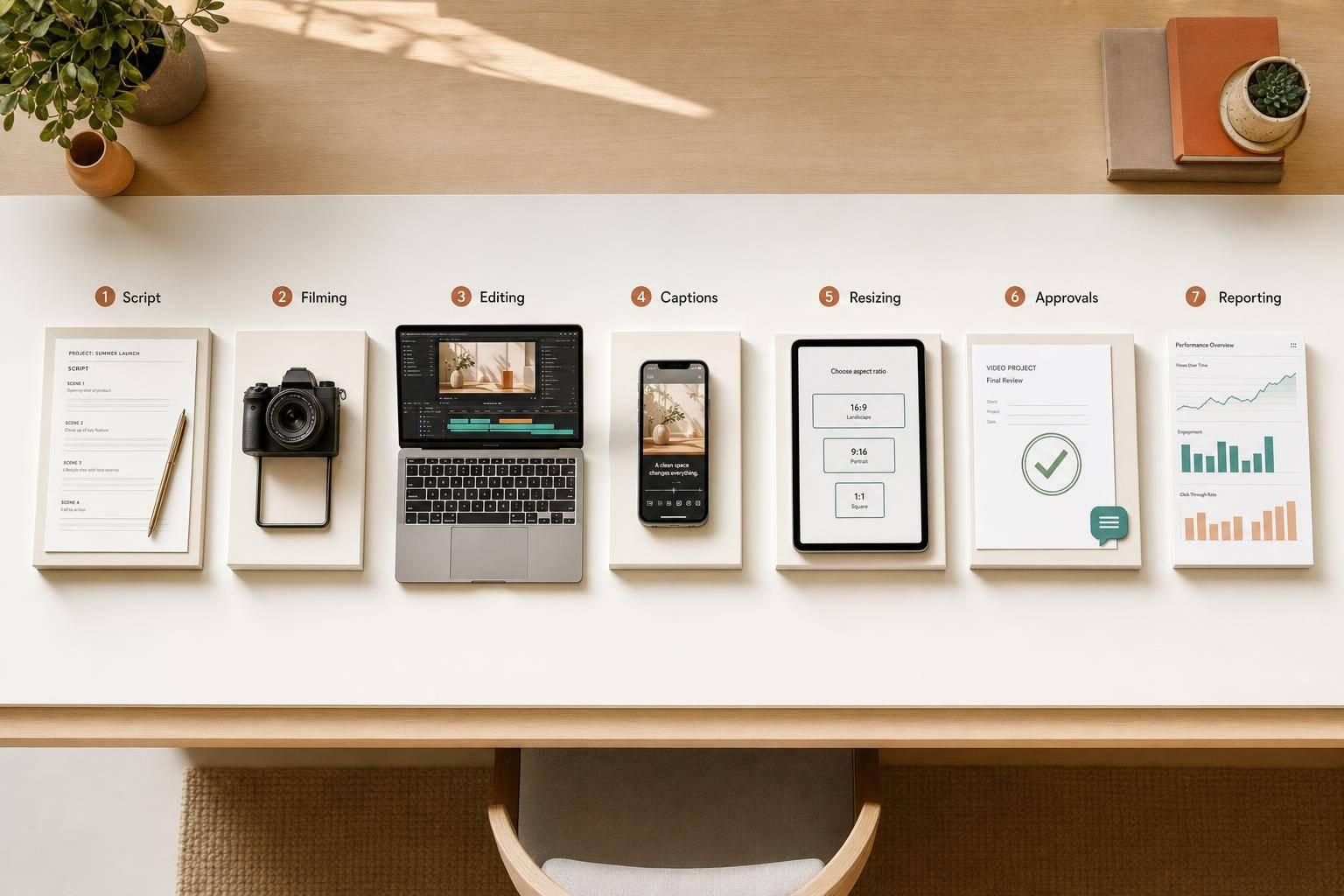
If I run a small brand team, AI video tools can cut hours from the slowest parts of video work. The main time sinks are usually script drafts, filming, editing, captions, resizing, approvals, and reporting.
Here’s the short version:
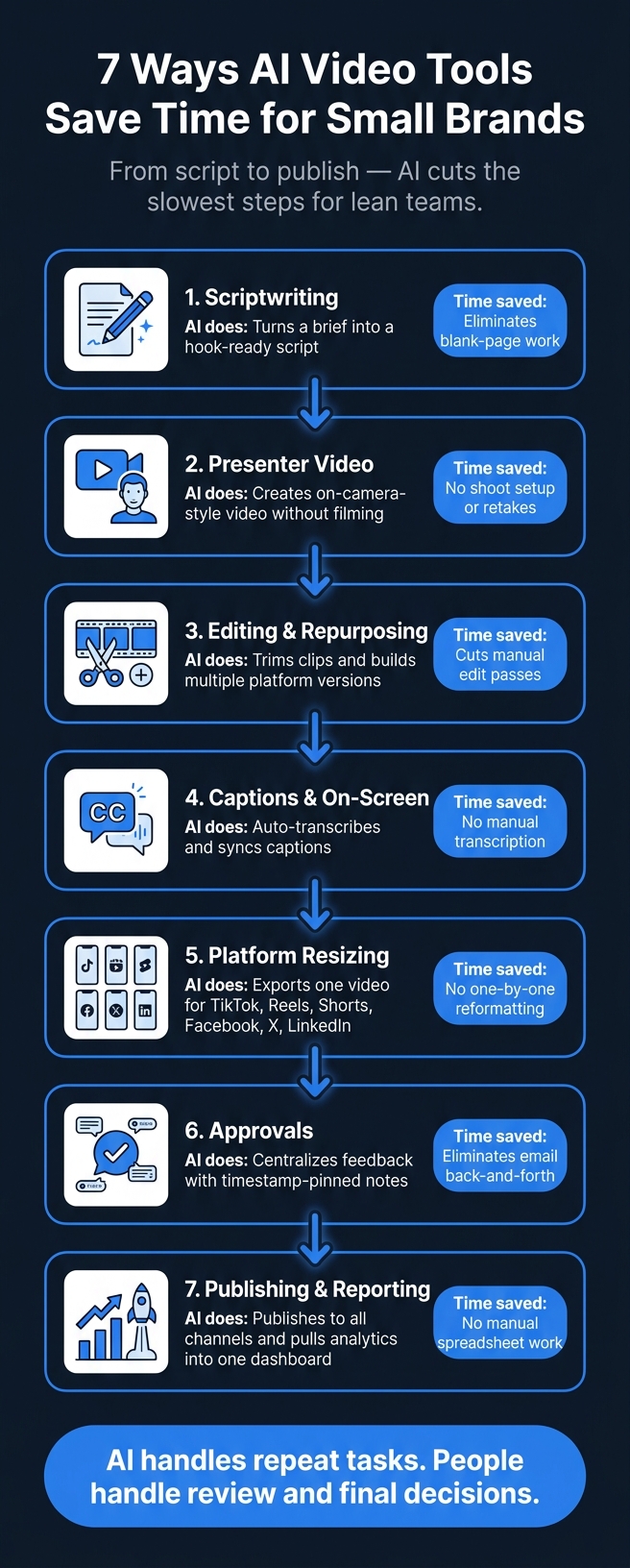
- Scripts: I can turn a short brief into a first draft fast
- Filming: I can make presenter-style videos without booking a shoot
- Editing: I can cut repeat work and make more than one version from one source file
- Captions: I can auto-generate captions and on-screen text
- Resizing: I can prep one video for TikTok, Reels, Shorts, Facebook, X, LinkedIn, and more
- Approvals: I can keep feedback in one place instead of long email chains
- Reporting: I can publish and track results from one dashboard
That matters because video work often drags across days, not hours. And for a lean team, even saving 30 to 60 minutes per video adds up fast across a month.
7 Ways AI Video Tools Save Time for Small Brands
Quick Comparison
| Area | What AI helps me do | Time it cuts |
|---|---|---|
| Scriptwriting | Build a first draft from a brief | Blank-page work |
| Presenter video | Make on-camera-style videos without filming | Shoot setup and retakes |
| Editing | Trim clips and make new versions | Manual edit passes |
| Captions | Transcribe and sync text | Hand-written captions |
| Resizing | Export for each platform | One-by-one reformatting |
| Approvals | Collect notes in one place | Back-and-forth review delays |
| Reporting | Pull channel data into one view | Manual spreadsheet work |
The core idea is simple: AI handles repeat tasks, and people handle review and final decisions. That’s how I’d get more short-form video out the door with less manual work.
Where Small Brands Lose Time in Video Production
Small brand videos tend to lose time after the idea gets approved. That’s usually when the slow part kicks in.
First comes the script. Then filming logistics. Then editing. Then final formatting. What sounds simple on paper can turn into a long chain of small tasks that eat up hours.
Editing adds even more work. Cutting filler words, making jump cuts, and syncing audio are repetitive jobs, but they still take time. After that, you’ve got the last-mile tasks: adding captions, resizing the video for each platform, getting approvals, and pulling performance reports once the video is live.
The table below shows the main time drains tied to each of the seven fixes below.
| Production Stage | Common Time Drain |
|---|---|
| Scriptwriting | Researching hooks, drafting from scratch |
| Filming & Setup | Scheduling shoots, lighting, repeating takes |
| Editing | Removing filler words, jump cuts, audio sync |
| Captioning | Manual transcription and caption placement |
| Platform Resizing | Resizing for each platform |
| Approvals | Waiting for feedback and sign-off |
| Performance Reporting | Gathering results from platform dashboards |
AI video tools help cut the repetitive work at each stage, starting with script generation. The biggest time savings usually happen at the script stage, because that’s where the workflow starts.
1. Generate Short-Form Scripts From a Brief
The biggest time savings usually show up at the script stage. AI can take a short brief and turn it into a ready-to-shoot script in minutes. For a small brand, that means you can plug in the product, the audience, the goal, and the CTA, then get a draft built for TikTok, Reels, or Shorts.
Instead of staring at a blank page, the team gets a script with the parts that matter most: a hook, key beats, and a closing line.
Here’s what that can look like in practice: a lean team drops in a product note, a campaign goal, and a CTA, and the tool returns a structured script with an opening hook, a middle beat sequence, and a closing line. It’s ready for review right away, without the usual back-and-forth just to get a first draft on the page.
Once the script is approved, that same workflow can move straight into video creation.
2. Create Presenter Videos Without Filming
Once the script is done, AI avatars and digital presenters can turn it into an on-camera-style video without a shoot. That means no booking studio time, no setting up gear, and no doing take after take just to fix one line. The script can go straight into a first video draft.
This works well for TikTok, Reels, Shorts, and video ads when a presenter-style format makes sense for the message. Sun Scroller turns approved scripts into presenter videos without filming.
You can also use client approval controls to review the script, visuals, and tone before anything goes live. That helps the team keep things moving without dragging out turnaround time.
Once the presenter video is approved, the next big time-saver is automated editing.
3. Automate Editing and Repurposing
Editing eats up a lot of time in short-form video. AI helps speed up the busywork by trimming clips, cutting dead space, and formatting footage for posting. That means you save time even before the first cut is done.
For small brands, AI video production can take one source video and turn it into several short-form versions for Reels, Shorts, and ads. It can also shrink revision cycles. So instead of starting over each time, you can build multiple platform-specific cuts from a single recording.
That said, a human check still matters. AI can miss brand voice, humor, or cues that depend on context.
Once the edit is locked, captions and on-screen text can be added automatically.
4. Add Captions and On-Screen Text Automatically
AI captioning tools can turn spoken audio into synced captions and on-screen text without manual transcription or text placement. For lean teams, that cuts out one more slow, manual task.
Just upload the clip, let the tool transcribe the audio, and review the captions before you publish. That helps short-form content move faster across TikTok, Reels, Shorts, and other social channels.
Automation helps, but a quick check still matters. Look over names, speaker changes, and timing before anything goes live.
Once the captions are set, the next time-saver is adapting the same video for each platform.
5. Resize One Video for Every Platform at Once
Once captions are in place, you still have one more job: making that same video fit each platform.
This is where AI video tools save a lot of time. Instead of rebuilding the video by hand for every channel, they can take one source file and turn it into platform-ready versions for each destination.
That said, auto-resizing isn't something you should trust blindly. A video that looks fine in landscape can fall apart in vertical. Text, logos, and CTAs can get cut off or buried under platform overlays. Before you publish, do a quick check:
- Make sure text and logos sit inside safe zones
- Confirm captions are still easy to read
- Check that key visuals aren't covered
With Sun Scroller, multi-format output is already part of the workflow. That means one approved video can be exported for TikTok, Instagram Reels, YouTube Shorts, Facebook, X, and LinkedIn without manually reformatting each version.
Once those formats are ready, the next bottleneck is approval.
6. Speed Up Review and Approval Workflows
After editing and resizing, approval is often the last manual step. And honestly, it shouldn’t turn into a bottleneck of its own.
For small brand teams, asynchronous review tools help keep feedback in one place instead of scattering it across long email threads. That alone can save a lot of friction.
Reviewers can leave notes pinned to exact timestamps or frames right inside the player. When an updated draft is ready, it stays under the same link as each revised draft, so everyone can check what changed without digging around. Automated notifications also help keep things moving by alerting stakeholders when a new draft is ready or when a comment needs a reply.
With Sun Scroller, asynchronous approval is part of the workflow. Your team can review drafts on its own schedule, leave feedback on TikTok, Reels, Shorts, and social ads, and give final sign-off before anything goes live. That keeps human sign-off in the loop while cutting the back-and-forth that slows down small-brand video production.
From there, the video is ready for publishing and performance tracking.
7. Automate Publishing and Performance Reporting
After approval, the last manual step is launch and reporting. Once a video gets the green light, the next time drain is getting it live and checking how it performs after launch.
AI video tools can publish approved videos across major channels and pull channel-by-channel performance data into one dashboard. For small brands, that means one place to manage output and a lot less manual data entry and spreadsheet work.
Start with completion rate. It shows whether viewers stick around long enough for the video to have any impact.
With Sun Scroller, approved videos publish to major channels, and analytics come back in the same workflow. So small brands can handle launch and reporting in one place.
Platform Output at a Glance
Once editing is done and the video gets approved, the job isn't over. That same clip still needs a platform-specific version for each channel.
Why? Because each platform plays a different part in a short-form video workflow. Some are built for reach. Others are better for engagement, discovery, or distribution.
The table below shows the role each platform plays after one approved video is exported for multiple channels.
| Platform | Role in Workflow |
|---|---|
| TikTok | Trend-led reach |
| Instagram Reels | Polished engagement |
| YouTube Shorts | Discovery and long-form support |
| Scheduled distribution | |
| Professional audience reach | |
| X | Fast-moving distribution |
One approved asset can be adjusted for each platform's format and audience. Once the videos are live, the next step is tracking which platforms keep attention and drive clicks.
What to Track After Publishing
Once your approved videos are live, the job isn’t done. Now you look at the numbers and use them to decide what to keep, what to cut, and what to test in the next edit.
Publishing is just step one. The next step is learning from the data.
Each metric tells you something different:
| Metric | What It Reveals | The Decision It Drives |
|---|---|---|
| Views | Topic resonance | Is this subject worth making more content about? |
| Watch Time | Hook strength and pacing | Does the opening land, and is the editing tight enough? |
| Engagement | Content relevance | Is this video actually valuable to your audience? |
| Clicks | CTA effectiveness | Is the call to action clear and compelling enough to act on? |
| Conversions | Business impact | Is video production delivering a real return? |
Here’s the simple way to read it:
- Use views to judge topic pull
- Use watch time to judge the hook
- Use engagement to judge relevance
- Use clicks to judge the CTA
- Use conversions to judge business impact
Some patterns are easy to spot once you know what to look for. High views with low watch time usually mean the topic got people in, but the hook didn’t hold them. High engagement with low conversions often means the content worked, but the CTA fell flat.
And this matters: no single metric tells the whole story. A video with modest views but strong engagement can still point to a niche audience that cares. That’s often a better signal than chasing virality for its own sake.
Use the data to shape the next video, not just to grade the last one.
Conclusion
Across the workflow, AI cuts the slowest manual steps for lean teams. The biggest time savings come from stripping out repetitive work at each stage. It speeds up scripting, filming-free production, editing, and reporting, so small teams can publish more quickly.
That said, AI should support people, not replace review. Human oversight still matters for catching errors and giving final sign-off before anything goes live. The point is simple: keep people focused on decisions, not repetitive tasks.
For small brands, that means more short-form video, less manual work, and faster turnaround. That's how small brands produce more content without adding more work.
FAQs
How much time can AI video tools realistically save per video?
The information provided doesn’t say how much time AI video tools save per video.
What it does say is simpler: these tools are built to help small brands save time when creating and publishing short-form marketing videos.
What parts of video production still need human review?
People still need to review the final video. That’s the step that keeps the work in line with the brand, the tone, and the emotional feel the campaign is going for.
A human check makes sure the script sounds like the brand’s voice. It also helps confirm that any visuals, avatar expressions, and on-screen moments picked by AI actually fit the campaign instead of feeling slightly off.
That review should also catch small captioning mistakes, check the framing after resizing, and make sure performance data is being read the right way. In plain English: this is the pass that helps the video feel polished, accurate, and on-message.
Which metrics matter most after publishing short-form videos?
This section doesn't name the short-form video metrics that matter most.
If the article covers those metrics later, update this FAQ to match.