
AI Product B-Roll for Reels, Shorts, TikTok
AI Product B-Roll for Reels, Shorts, TikTok
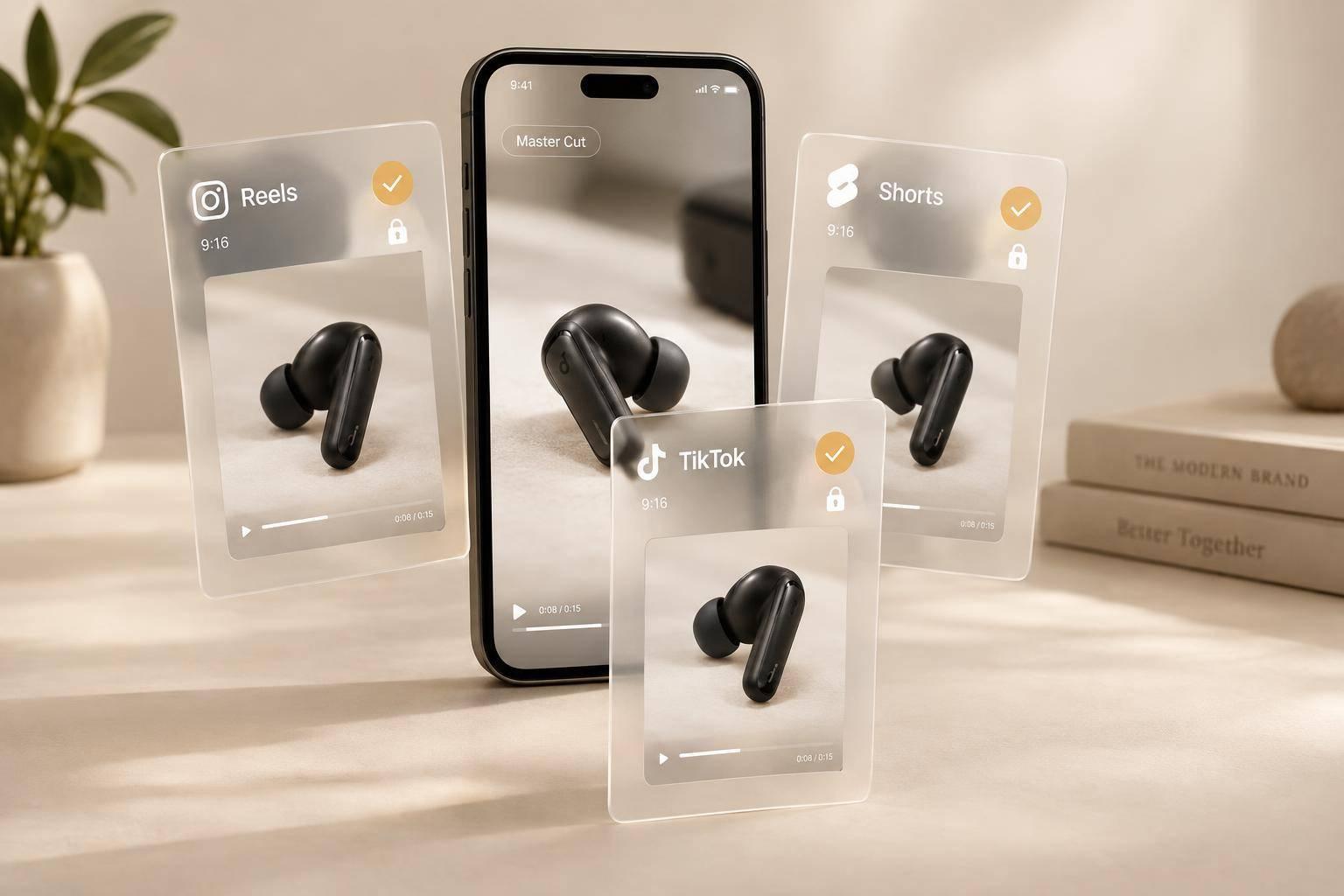
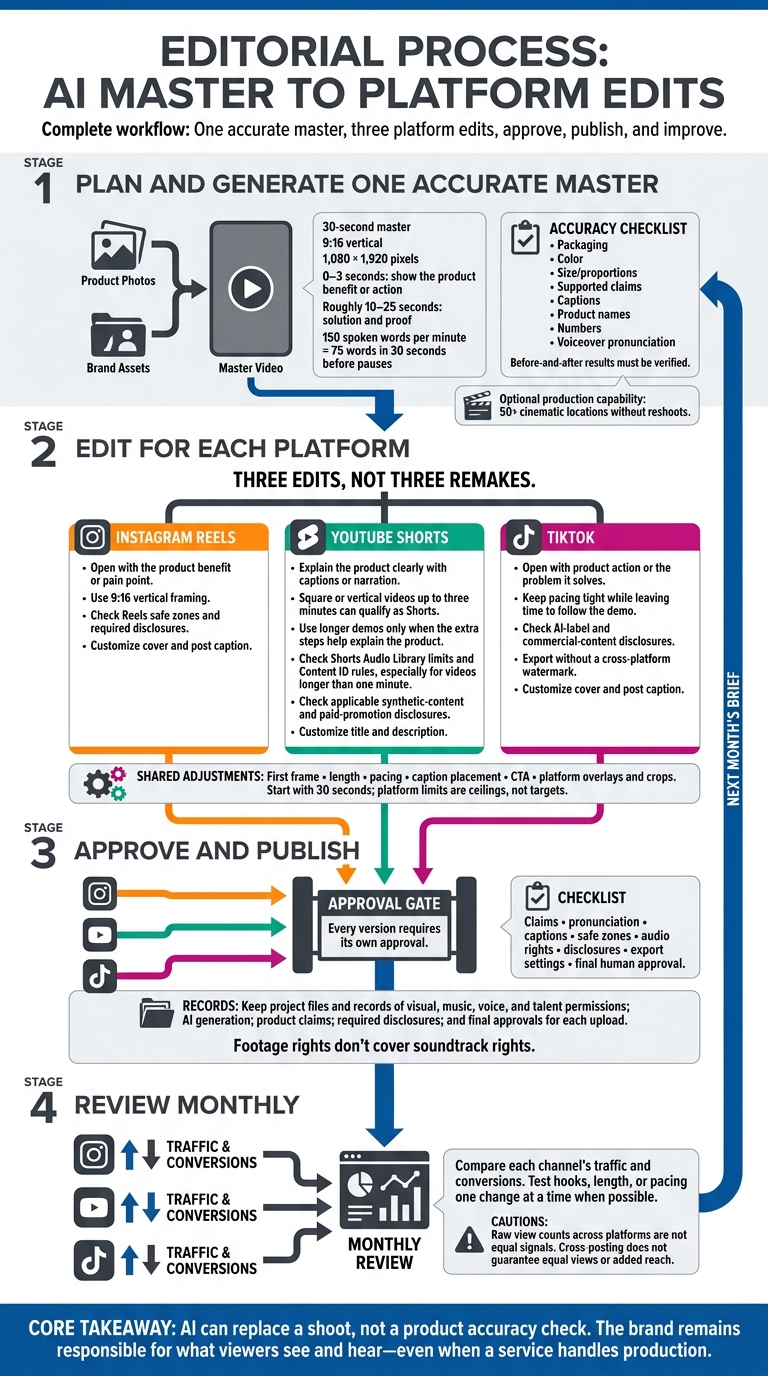
I start with one accurate AI product video, then make three edits for Reels, Shorts, and TikTok. My starting point: a 30-second, 9:16 video that shows what the product does in the first 0–3 seconds.
Here’s the workflow I follow:
- Plan and generate: Use real product photos and brand assets, then check generated shots for correct packaging, color, size, and supported claims.
- Edit for each platform: Adjust the opening, pacing, captions, and post details. Check safe zones, voiceover pronunciation, audio rights, and required disclosures.
- Approve and publish: Keep permission records and get human approval for every version - even when a service handles production.
- Review monthly: Compare each channel’s traffic and conversions, then test hooks, length, or pacing one change at a time.
My rule: AI can replace a shoot, not a product accuracy check. <u>The brand remains responsible for what viewers see and hear.</u>
AI Product B-Roll: 1 Master, 3 Platform Edits
Create Accurate Product B-Roll
Start with one studio shot and brand assets to keep packaging, color, proportions, and tone consistent throughout the 9:16 master. Use location swaps to place the product in 50+ cinematic locations without reshoots, and internal cutaways to show how it works.
An accurate master makes platform edits cleaner and faster, with no new shoots needed. Require human approval before publishing, especially for safety instructions, regulated claims, and visual demos.
Open With a Product Benefit
Show the product in action or the problem it solves within the first 0–3 seconds. Skip logos and greetings. For a 30-second script, set aside roughly 10–25 seconds for the solution and proof. Use before-and-after visuals only when the results are verified.
Add Captions, Voiceover, and Licensed Audio
Give the voiceover room for natural pauses. At 150 spoken words per minute, a 30-second script holds about 75 words before pauses. Keep captions short, and check product names, numbers, and pronunciation.
Check Safe Zones and Shot Timing
Build the master at 1,080 × 1,920 pixels. Preview each platform’s overlays and crops before publishing, and keep captions, labels, and key product details clear of interface controls.
Once the master is accurate, adjust each version’s hook length, pacing, and captions for its platform.
Set Length, Hooks, and Pacing for Each Platform
Turn the same approved product B-roll into three edits, not three remakes. Treat platform limits as ceilings, not targets. Start with a 30-second edit, and add time only when the demo needs more context. Then adjust the hook, pacing, and on-screen text for each platform.
Instagram Reels: Show the Benefit Early
Open with the product benefit or the pain point it solves. Use 9:16 vertical framing, keep captions inside Reels safe zones, and confirm required disclosures before posting.
YouTube Shorts: Explain the Product Clearly
Square or vertical videos up to three minutes can qualify as Shorts. Keep longer demos only when each step helps explain the product. Use captions or narration to guide viewers through those steps.
Check YouTube’s Shorts Audio Library limits and Content ID rules, especially for videos longer than one minute. Also check applicable synthetic-content and paid-promotion disclosures.
TikTok: Start With Product Action
Open with the product in action or the problem it solves. Keep the pacing tight, but give viewers enough time to follow the demo. Check TikTok’s AI-label and commercial-content disclosure requirements, and export without a cross-platform watermark.
Turn 1 Master Into 3 Platform Edits
Start with one approved master, then export three platform-specific releases. Cross-posting can extend distribution, but it doesn’t guarantee equal views or added reach.
Change only what each platform needs: the Reels cover and post caption, the Shorts title and description, and the TikTok cover and post caption. Once those differences are set, lock the post details for each upload.
Adjust Each Edit and Its Post Details
Export from the master cut, then adjust each version’s first frame, length, caption placement, and CTA to fit its platform.
Before publishing, document the rights and approval trail for each version.
Track Rights, Approvals, and Performance
Keep project files alongside records of visual, music, voice, and talent permissions, AI generation, product claims, required disclosures, and final approvals for each upload. Footage rights don’t cover soundtrack rights. Brand review checks catch inaccurate packaging, unsupported results, and mismatched voices before publication.
Use each channel’s traffic and conversion results to guide next month’s brief. When possible, test changes to the hook, length, or pacing separately. Don’t treat raw view counts across platforms as equal signals.
Conclusion: Review, Publish, and Test Monthly
Once the master and platform edits are approved, publish and review results monthly. Let each channel’s results shape the next production brief.
Sun Scroller can handle monthly AI B-roll, voiceover, multi-format edits, publishing, and analytics, with controls for brand review.
Run one final check before each release: claims, pronunciation, captions, safe zones, audio rights, disclosures, export settings, and final approval. A done-for-you service doesn’t change who’s responsible for accuracy: the brand.
Test a few approved hooks first, then scale the winners on each channel.
FAQs
When does my AI product video need a disclosure?
The provided search results don’t explain when disclosure is required for an AI product video.
Can I reuse licensed music across all three platforms?
The provided search results don’t clarify whether music licensed for one platform can also be used on Instagram Reels, YouTube Shorts, and TikTok.
How do I tell which platform edit drives more sales?
Use per-channel analytics to see which video edits and channels drive the most traffic and conversions for your brand. The same video can get different view counts and conversion results across platforms because each has its own audience and algorithm. Compare those metrics with benchmarks, then put more focus on the platforms that turn views into sales.