
How to Publish Videos Across Multiple Platforms Efficiently

How to Publish Videos Across Multiple Platforms Efficiently
One video should not be posted the same way everywhere. If I want better results, I need one clean master file, platform-specific edits, a set review flow, and post-level data to guide the next round.
Here’s the short version:
- I start with a watermark-free master video
- I prepare transcripts, captions, thumbnails, and brand assets in one place
- I make versions for 16:9 and 9:16
- I change the hook, framing, captions, copy, and CTA by platform
- I use one flow for review, scheduling, and publishing
- I track retention and swipe behavior to decide what to edit and repost
A few platform cues matter right away:
- YouTube Shorts: searchable title, clear context fast
- TikTok: fast hook in the first second
- Instagram Reels: strong visual start
- Facebook: works without sound, direct CTA
- LinkedIn: lead with business value
- X: short, direct copy
Here’s a quick view:
| Platform | Best opening move | Main format cue | What I watch after posting |
|---|---|---|---|
| YouTube Shorts | Clear topic fast | 9:16 | Viewed vs. Swiped Away, average % viewed |
| TikTok | Instant hook | 9:16 | 3-second retention |
| Instagram Reels | Strong first visual | 9:16 | Early watch behavior |
| Silent-first frame | 1:1 or 9:16 | Hold rate and CTA response | |
| Business result first | 16:9 or 9:16 | Watch time and clicks | |
| X | Short setup | Short native clip | Views and engagement |
The main point: I keep the message the same, but I change the packaging for each app. That cuts wasted work, keeps brand use steady, and gives me a clear publish-review-refine loop based on what viewers did, not what I guessed.
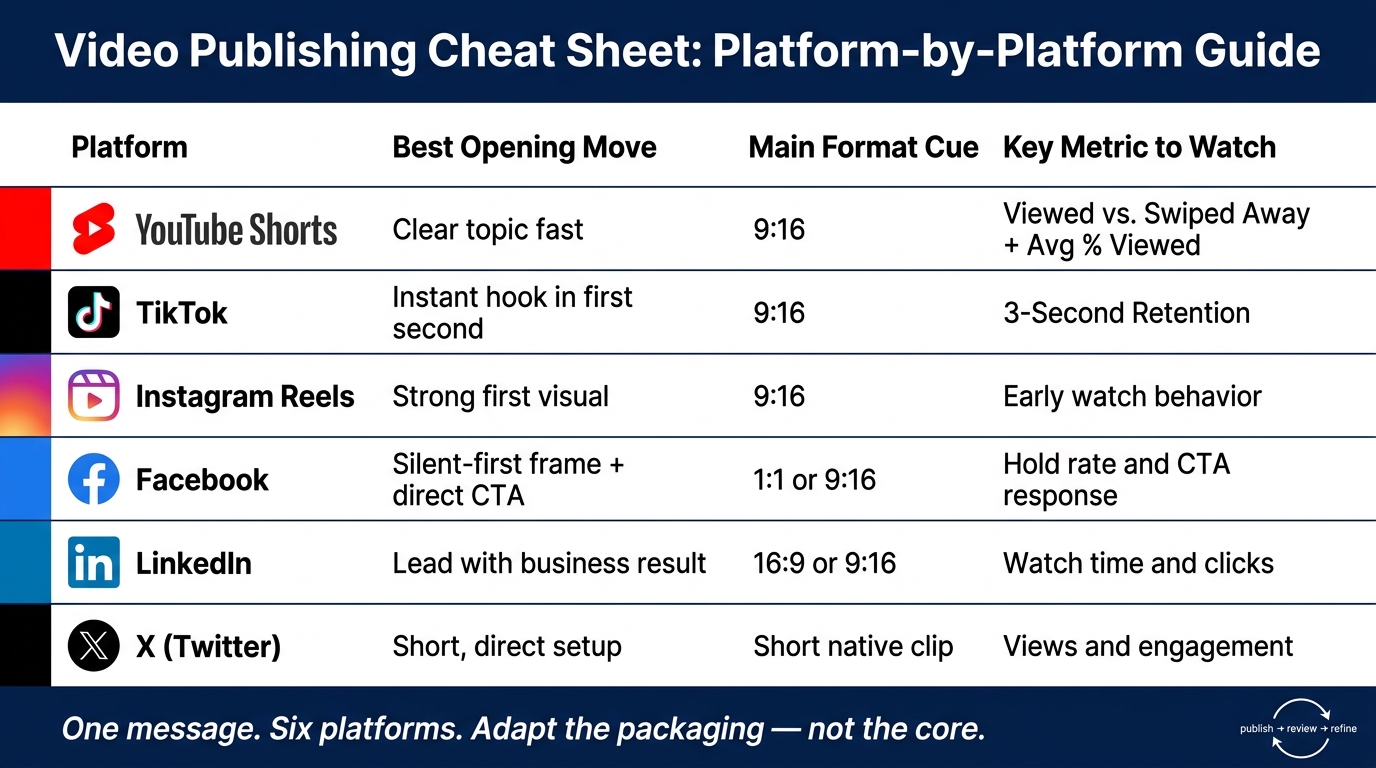
Video Publishing Cheat Sheet: Platform-by-Platform Guide
Prepare source assets so one video can become many posts
Build a reusable source package
Once the master file is approved, turn it into a source package your team can reuse fast across every channel.
Start with a high-quality master export. Then make each platform version from that file, not from older edits or compressed copies. That simple step helps keep quality steady and cuts down on extra cleanup later.
From that same source, create the aspect ratios you’ll use most:
- 16:9 for YouTube and LinkedIn
- 9:16 for TikTok, Instagram Reels, and YouTube Shorts
After that, keep the back end organized. Standard metadata and clear ownership make each version much easier to track, review, and approve. Use one metadata format for platform, asset type, and release date. Also assign ownership for graphics, music, and design before production starts. That saves time during production and helps approvals move with less friction.
Adapt the same video for each platform without losing brand consistency
Your main message can stay the same across platforms. What should change is the way you package it. Start with the approved master file, then build platform-ready cuts by changing the opening, framing, and supporting copy. Tweak the hook, pacing, framing, and on-post copy so the video feels right for each channel:
- YouTube Shorts: Use a searchable title and make the context clear in the first few seconds.
- TikTok: Open with an instant visual or story hook and keep the pacing fast.
- Instagram Reels: Start with a visually strong moment and match the casual, fast-moving feel of the feed.
- Facebook: Use a clear opening frame that works without sound and include a direct call to action.
- LinkedIn: Lead with a business result or insight.
- X: Keep copy short and direct.
The message stays the same. The delivery changes for each channel.
Customize captions, metadata, and calls to action
Titles, descriptions, hashtags, and calls to action should be tailored to each platform. That small layer of customization helps the same video feel like it belongs there, instead of looking copied and pasted, while keeping the core brand message the same.
Use video variants to serve different business goals
One master asset can branch into several versions for different goals. That can include AI avatars, synthetic UGC, and localized voiceovers, all while keeping the approved brand style in place. From there, those versions can move into approval and scheduling.
Build an approval, scheduling, and distribution workflow that saves time
Once the platform-specific cuts are done, move everything into one approval and scheduling flow. That gives the team a clear path from review to publish, with defined ownership and timing for each version.
Set a clear approval path and assign review responsibilities
Give each part of the process to one person. Have one reviewer check brand fit, one approve the final copy, and one handle publishing. Run edits through the approval tool so feedback, fixes, and sign-off all stay in one place.
Schedule from one calendar while keeping channel-specific timing
After approval, lock in each platform’s publish slot on one shared calendar. That way, the whole team can see approvals and publish dates without digging through messages or docs. Set the final publish time for each platform before approval so there’s no last-minute shuffle.
Choose the right scheduling setup for your team
Use Sun Scroller to handle monthly production, async approvals, and cross-platform publishing in one workflow. It also gives you channel-level analytics, so you can see what worked and use that data to plan the next round. From there, it’s easier to decide which versions are worth distributing again.
Measure results, repurpose top performers, and scale what works
Once the videos are live, the job shifts from publishing to learning. You need to see what actually held attention. After publishing, use performance data to decide what to cut, remix, and reuse.
Track the metrics that matter by platform
The same video can land one way on one platform and flop on another. That’s normal. Track each platform on its own.
For YouTube Shorts, watch Viewed vs. Swiped Away and average percentage viewed. For TikTok, look at 3-second retention. These numbers show which opening frames, edits, and formats are worth making into another version.
A simple way to think about it: if people leave in the first few seconds, the hook likely missed. If they stay longer, something in the opening, pacing, or setup did its job.
Turn performance data into the next round of content
Use the strongest signals from each platform to shape the next version. Look at comments to spot what clicked with viewers - hooks, visuals, or music. Then make new cuts from content that already showed promise instead of starting over every time.
Repurposing works best when you keep the core message the same and change only what needs testing, such as:
- the format
- the hook
- the cut
That way, you’re not guessing from scratch. You’re building from proof.
Conclusion: A repeatable system for faster publishing
Use a publish-review-refine loop. Each cycle shows which hooks, edits, and formats are worth reusing. Then take what you learned from one round and apply it to the next, so publishing gets faster, cleaner, and more effective.
The point isn’t just to post more quickly. It’s to use platform data to publish faster, stay consistent, and scale videos that already showed they can work.
FAQs
How often should I repost a top-performing video?
The available information doesn’t say how often you should repost a top-performing video.
If you need a clear reposting schedule, this article should state it plainly.
What should I test first if retention is low?
First, test your video's hook. Those opening seconds do a lot of heavy lifting. They need to grab attention, stop people from leaving right away, and make the video's value clear fast. The intro should also line up with what viewers expect after seeing the thumbnail or title.
Then look at pacing and visual transitions. If the video drags or jumps awkwardly, people lose interest. Smooth movement from one moment to the next helps keep the energy up and gives viewers a reason to stay until the end.
How do I keep brand consistency across platforms?
Build one clear visual and tonal identity across all your content. Use standard templates and a set color palette so your videos look familiar right away, even when each platform has its own format rules.
Keep approvals in one place so every piece of content matches brand guidelines before it goes live. Scheduling tools help you post on a steady rhythm too, which makes your brand voice feel consistent across channels.