
TikTok Shop Setup Checklist for Brands
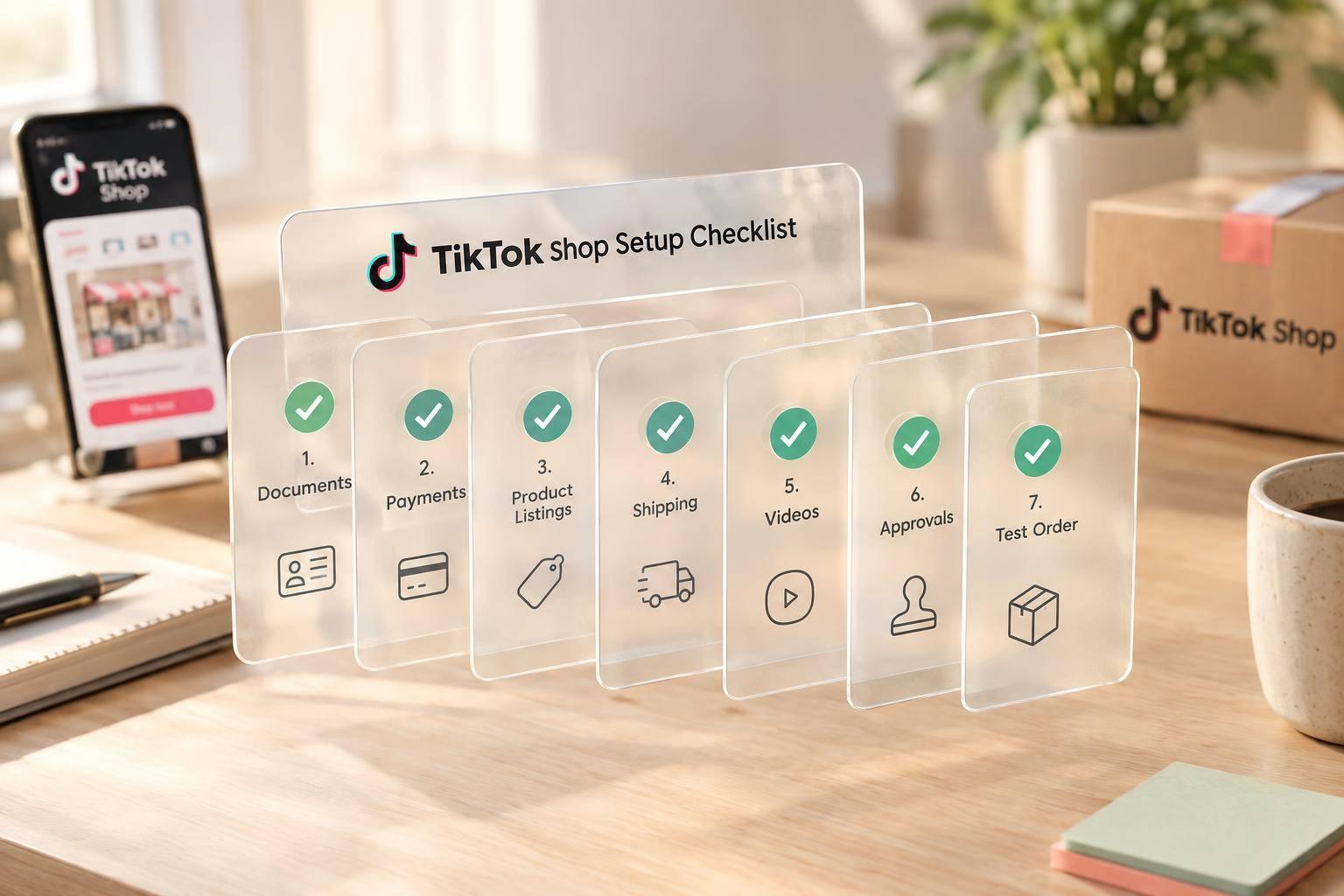
TikTok Shop Setup Checklist for Brands
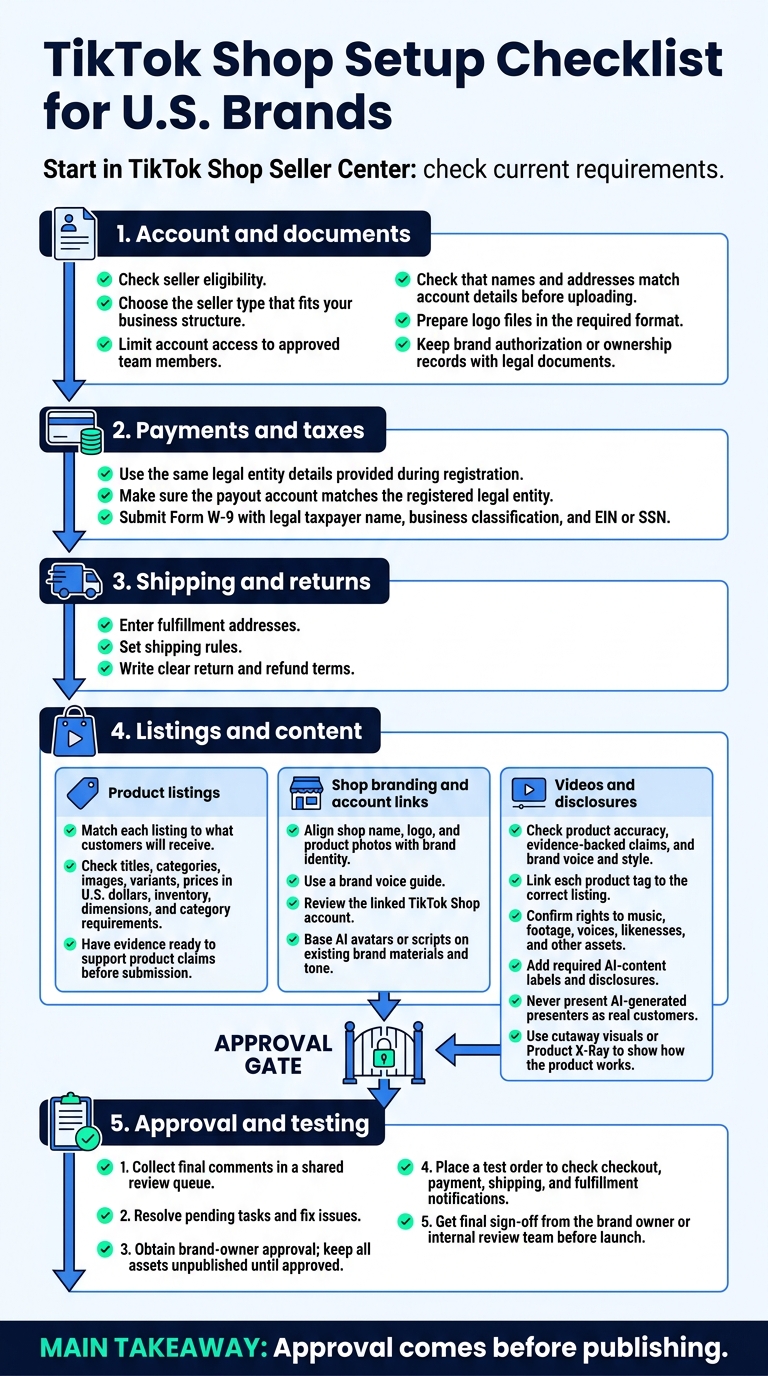
Before I launch a U.S. TikTok Shop, I check five areas - and keep everything unpublished until it’s approved. My starting point is TikTok Shop Seller Center, where I check the current requirements.
Here’s what I review:
- Account and documents: Seller eligibility, team access, matching business details, and brand ownership records.
- Payments and taxes: Payout account details and Form W-9.
- Shipping and returns: Fulfillment addresses, shipping rules, and return and refund terms.
- Listings and content: Product details, prices in U.S. dollars, shop branding, account links, video claims, asset rights, and required AI labels.
- Approval and testing: Brand-owner review, unresolved tasks, and a test order before final sign-off.
My rule: <u>approval comes before publishing</u>. That includes AI presenters, which I never portray as real customers. I treat launch as a checked and approved process, not just an account setup.
TikTok Shop Setup Checklist for U.S. Brands
Checklist: Seller Eligibility and Documents
Check seller eligibility and account access first. Both affect approval.
Choose a Seller Type and Limit Account Access
Select the seller type that fits your business structure. Give account access only to approved team members.
Gather Identity and Business Documents
Gather the identity and business documents needed for registration and approval. Before uploading, check that names and addresses match your account details.
Prepare Logo Files and Brand Authorization
Save logo files in the required format. Keep brand authorization or ownership records with your legal documents.
Checklist: Bank Details, Taxes, Shipping, and Returns
Use the same legal entity details you provided during registration to complete your payment, tax, shipping, and return settings.
Verify Payout Details and Tax Information
Make sure your payout account matches the registered legal entity. U.S. brands must submit Form W-9 with their legal taxpayer name, business classification, and EIN or SSN.
Set Fulfillment Addresses and Shipping Rules
Enter your fulfillment addresses and set your shipping rules.
Set Return and Refund Policies
Write a clear policy that explains your return and refund terms.
Checklist: Product Listings, Shop Branding, and Videos
Once your account is set up, check every listing, brand asset, and video before launch.
Check Product Details and Compliance
Make sure each listing matches what customers will receive. Check titles, categories, images, variants, prices in U.S. dollars, inventory, dimensions, and any requirements for the product category. Have evidence ready to support product claims before you submit.
Review Shop Branding and Link Your TikTok Account
Keep your shop name, logo, and product photos in line with your brand identity. Use a brand voice guide, and approve every asset before it goes live on your linked TikTok Shop account. If you use AI avatars or scripts, base them on your brand’s existing materials and tone.
Apply the same accuracy and rights checks to your videos.
Review Product Videos and Disclosures
Check every video for product accuracy, evidence-backed claims, and your brand’s voice and style. Make sure the product tag links to the correct listing. Confirm that you have the rights to use music, footage, voices, likenesses, and other assets, then add any required AI-content labels and disclosures.
Never present AI-generated presenters as real customers. Use cutaway visuals or Product X-Ray to show how the product works.
Final Review: Approvals, Testing, and Launch
After reviewing listings, branding, and videos, complete the approvals and place a test order.
Confirm Approvals and Resolve Pending Tasks
Keep all assets unpublished until the brand owner approves them. Collect final comments in a shared review queue so there’s no need for live meetings. Fix any issues before launch. Once everything is approved, move to order testing.
Test Order Handling and Confirm Launch
Place a test order to check checkout, payment, shipping, and fulfillment notifications. Get final sign-off from the brand owner or the internal review team.
FAQs
What if my business and bank details don’t match?
Your TikTok Shop registration details must match your official legal documents. If your legal business name differs from the account holder name on your bank records, verification may fail or payments may be delayed.
Before submitting, check that your tax identification number, legal business name, and banking information match across all documents. This helps prevent issues during approval.
How do I test orders before launching?
Start by checking your bank account details and tax information in Seller Center settings. Once your store is set up, use TikTok Shop’s sandbox or test mode to simulate a purchase without moving real money. Walk through the full customer experience, checking checkout, payment integrations, shipping calculations, and tax calculations.
When do my AI product videos need labels?
Label AI-generated product videos when synthetic content could mislead viewers about whether the footage or people shown are real. Use clear, visible labels for AI avatars or synthetic media showing realistic people or events.
Sun Scroller requires your review and approval before publishing. You’re still responsible for meeting each platform’s disclosure requirements.