
AI UGC Reviews: Disclosure Checklist
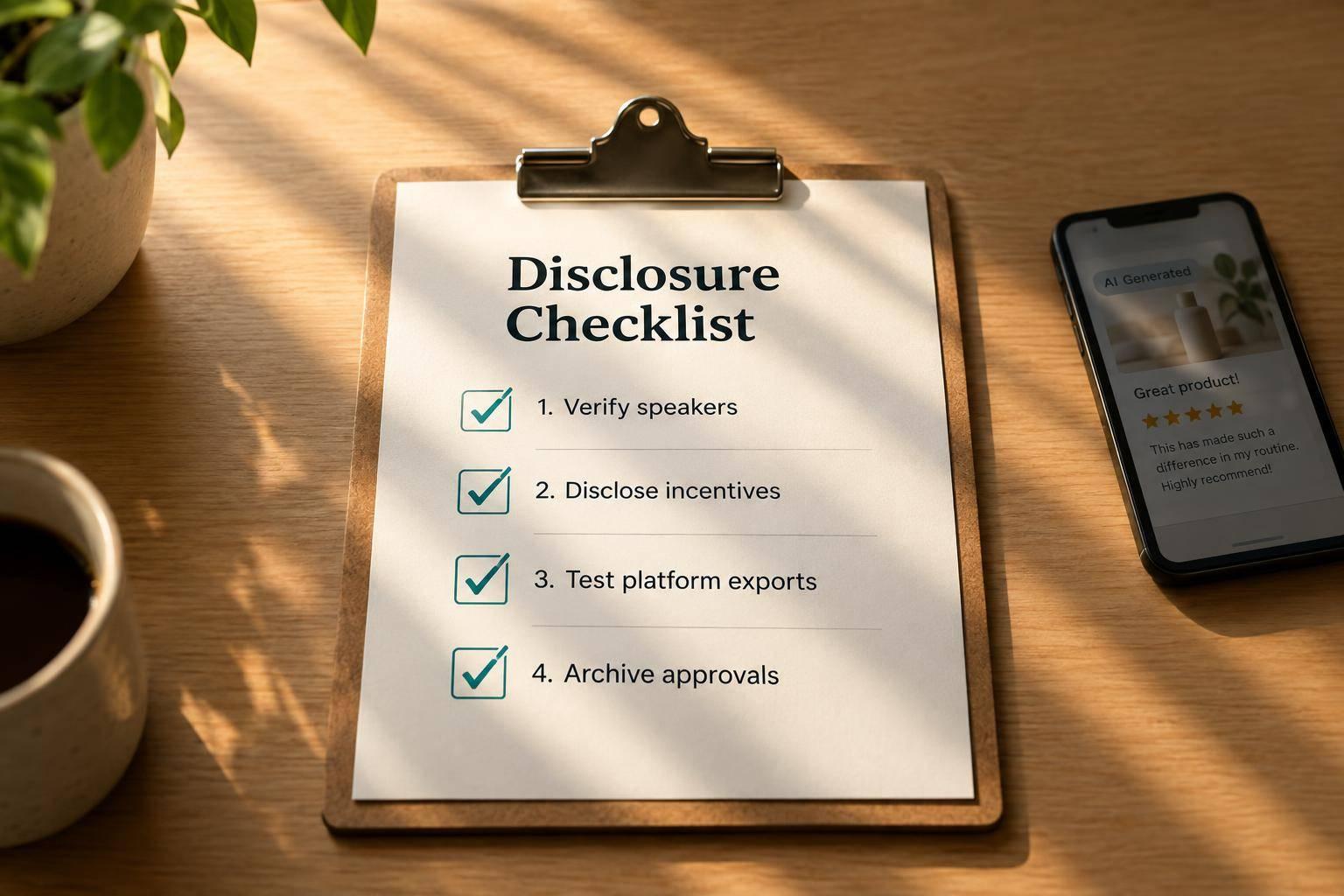
AI UGC Reviews: Disclosure Checklist
An AI label doesn’t make a fake review legal. Before I publish AI UGC in the U.S., I check that customer experiences and product claims are truthful and supported - not invented for an avatar.
I use 4 checks before posting:
- Verify the speaker and claims: Separate AI presenters from real customers, check proof, and get permission for names, likenesses, and cloned voices.
- Disclose commercial ties: Name the sponsor and explain payments, free products, or other incentives. Keep these disclosures separate from AI labels.
- Test every version: Check spoken and on-screen disclosures across platforms, crops, short clips, and sound-off playback.
- Approve and save records: Get written signoff, archive supporting records and live disclosures, and recheck videos when details change.
My rule: <u>fix failed checks before publishing</u>. Disclosure is not a substitute for truth.
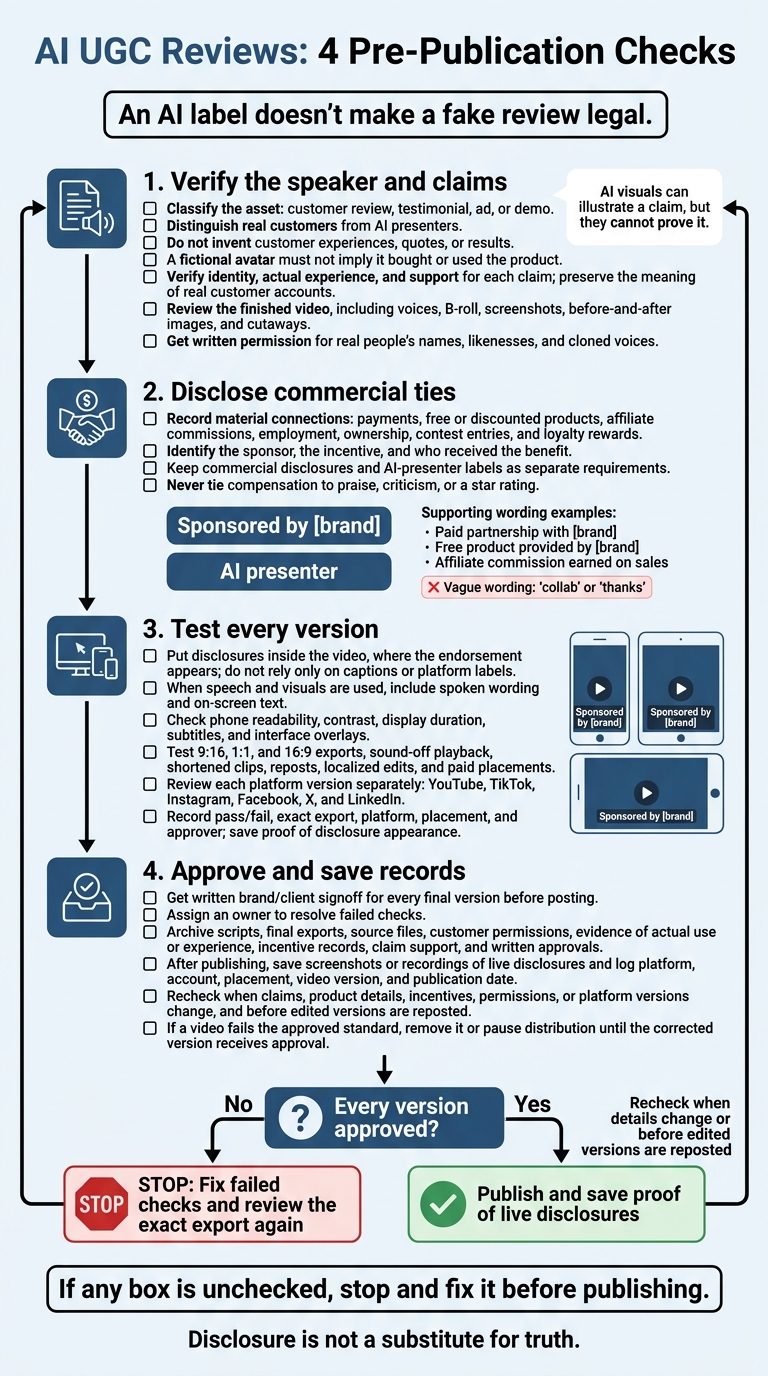
AI UGC Reviews: 4 Pre-Publication Checks
Checklist 1: Verify the Speaker, Experience, and Claims
Start by classifying the asset: customer review, testimonial, ad, or demo. Record how viewers will understand it. Before approving the final video, have the brand/client verify the speaker’s identity, stated experience, and evidence for each claim. Get brand approval before publishing.
Distinguish Customers From AI Presenters
Check whether the speaker is a real customer or a synthetic presenter. Do not invent customer experiences, quotes, or results. A fictional avatar must not suggest that it bought or used the product. Flag any synthetic presenter viewers might mistake for a real customer.
When using a real customer’s account, compare the script with the original and attribute it accurately. Voice clones, shortened quotes, and edits must preserve the customer’s meaning.
Review Scripts, Visuals, and Claim Support
Check that first-person statements, credentials, and claims have support before approval. For customer results, make sure before-and-after visuals and other evidence show what a customer can realistically expect.
Watch the finished video - not just the script. Check synthetic voices, B-roll, screenshots, before-and-after images, and cutaways for unsupported claims. AI visuals can illustrate a claim, but they cannot prove it. Remove or revise anything that exaggerates an outcome or changes the customer’s account.
Next, confirm every payment, incentive, and sponsor disclosure.
Checklist 2: Disclose Payments, Incentives, and Sponsors
Check commercial connections separately from AI-presenter labels. Disclose any material relationship viewers wouldn't expect.
Flag Payments and Other Material Connections
Record every material connection tied to the review: payments, free or discounted products, affiliate commissions, employment, ownership, contest entries, and loyalty rewards. Note who received each benefit, and make sure the disclosure matches the video.
Never tie compensation to praise, criticism, or a star rating. Review incentive terms before production and remove any requirement for praise, criticism, or a specific star rating. Don't buy or distribute fake reviews.
Name the Sponsor and State the Incentive
Name the sponsor directly:
“Sponsored by [brand]” or “Paid partnership with [brand].”
State the incentive and who received it:
“Free product provided by [brand]” or “Affiliate commission earned on sales.”
Avoid vague wording:
“collab” or “thanks.”
Add the commercial disclosure and synthetic-presenter label to the production brief as separate requirements. Check both during final approval.
Checklist 3: Verify Disclosures on Each Platform
Once the disclosure wording is approved, check how it appears in each platform export. Review every export separately and apply the disclosure tools for that specific version. Approval for one upload doesn’t cover another platform or edit. Check label placement on YouTube, TikTok, Instagram, Facebook, X, and LinkedIn.
Make Disclosures Easy to Hear and Read
Place the disclosure inside the video, where the endorsement appears - not just in the caption or platform label. If the content uses speech and visuals, include both spoken wording and on-screen text. Viewers shouldn’t have to open a caption or depend on a platform label to see the disclosure.
Watch the final export on a phone at normal speed. Make sure the text is large enough to read, has strong contrast, and stays visible long enough to read. Keep it away from buttons and other interface overlays. Check subtitles in the final export, too, so the disclosure remains readable with the sound off.
Test Crops, Reposts, and Paid Placements
A compliant script doesn’t guarantee a compliant crop or repost. Preview every 9:16, 1:1, and 16:9 cut, along with sound-off playback, shortened clips, and paid placements. Crops must not cut off the disclosure, and shorter edits must not retain the endorsement while dropping it. Check platform labels separately; don’t assume they carry over.
For each cut, including localized edits, record pass/fail, the exact export, platform, placement, and approver. Save proof showing how the disclosure appeared. If a version fails, fix it and review that exact export again before posting.
Checklist 4: Approve and Archive Each Video
Get Written Approval Before Posting
Once each version passes script and disclosure review, get written approval before posting.
- Require written signoff from the brand owner or client approver for every final version.
- Use one checklist to review the script, final export, claims, disclosures, permissions, and each platform version.
- Assign one owner to resolve any failed check.
- Check that the AI avatar, cloned voice, and brand voice follow the style guide.
Save Evidence and Published Disclosures
Keep a complete record of each approved video and its disclosures. Archive the script, final exports, source files, customer permissions, proof of the customer’s actual use or experience, incentive records, claim support, and written approvals.
Save screenshots or recordings of live disclosures. Log the platform, account, placement, video version, and publication date so the team can trace every live version.
Define When to Recheck or Correct Videos
Assign an owner to review videos again when claims, product details, incentives, permissions, or platform versions change. This review must also happen before edited versions are reposted.
If a video no longer meets the approved standard, remove it or pause distribution until the corrected version receives approval.
Conclusion: Final Pre-Publication Checklist
Run this final check before posting any version.
- [ ] Identity, experience, and claims are truthful and supported. Label the AI presenter, and make sure the script doesn’t imply the presenter used the product firsthand.
- [ ] Disclose all payments, free products, and incentives. Name the sponsor, and don’t tie rewards to positive comments.
- [ ] Keep disclosures and required AI/paid labels visible in the final export and every platform version.
- [ ] Get written consent to use any real person’s likeness, name, and cloned voice.
- [ ] Save approval and evidence: Keep written signoff, supporting records, the approved script, and the final posted version with disclosures.
If any box is unchecked, stop and fix it before publishing. An AI label or sponsor disclosure doesn’t make a fake customer review legitimate.
FAQs
Can an AI avatar narrate a real customer’s review?
Yes, an AI avatar can narrate a real customer’s review. To keep synthetic UGC on-brand, build the script around your brand’s own material and tone.
Sun Scroller creates avatars, voices, and scripts that match your brand identity. You can present real customer feedback in professional AI-generated videos - without live filming.
How should I disclose multiple review incentives?
For synthetic UGC AI avatar videos, clearly disclose every material connection to the brand. State each incentive, including free products, payments, or affiliate commissions, in the video or its accompanying caption.
Make disclosures visible right away. Don’t bury them in a long description or save them for the end of the video. Being upfront helps build audience trust and meet advertising disclosure requirements.
How long should I keep approval records?
Keep approval records for your synthetic UGC or AI avatar videos for as long as the content stays active on your social channels. These records create a clear audit trail and help confirm that the videos meet brand standards and disclosure requirements.
Sun Scroller uses established brand voice and style guides. Keeping approvals on file helps with internal reviews or platform inquiries about paid review flags and sponsor mentions.