
Video Approval Checklist for Brand Teams
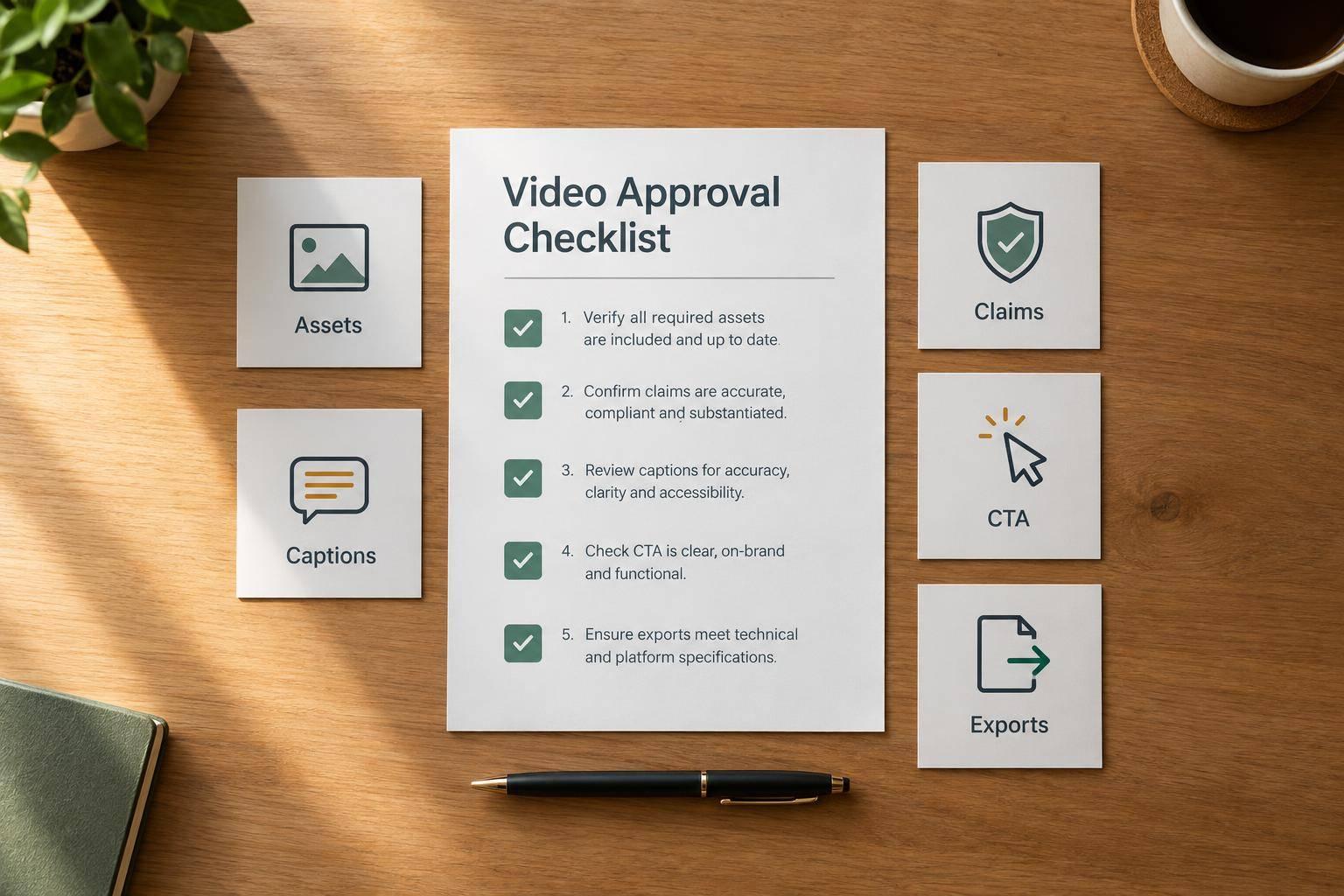
Video Approval Checklist for Brand Teams
I don’t approve a video until the whole publishing package is ready. That means checking the final cut, captions, thumbnail, post copy, disclosures, links, and schedule - not just pressing play.
I use 3 checks before giving the go-ahead:
- Assets and branding: Confirm the version, review owners, brand rules, usage rights, and caption accuracy. Check text contrast against the applicable WCAG requirement, typically 4.5:1.
- Claims and CTAs: Verify claim support, permissions, AI labels, and disclosures. Test links and offers, and make sure the CTA asks for one clear action.
- Upload and approval: Review each platform’s uploaded preview, record final sign-off, and approve every batch variant separately.
My rule: <u>no publishing with unresolved checks</u>. If an approved item changes, I send it back for review and save the updated approval record.
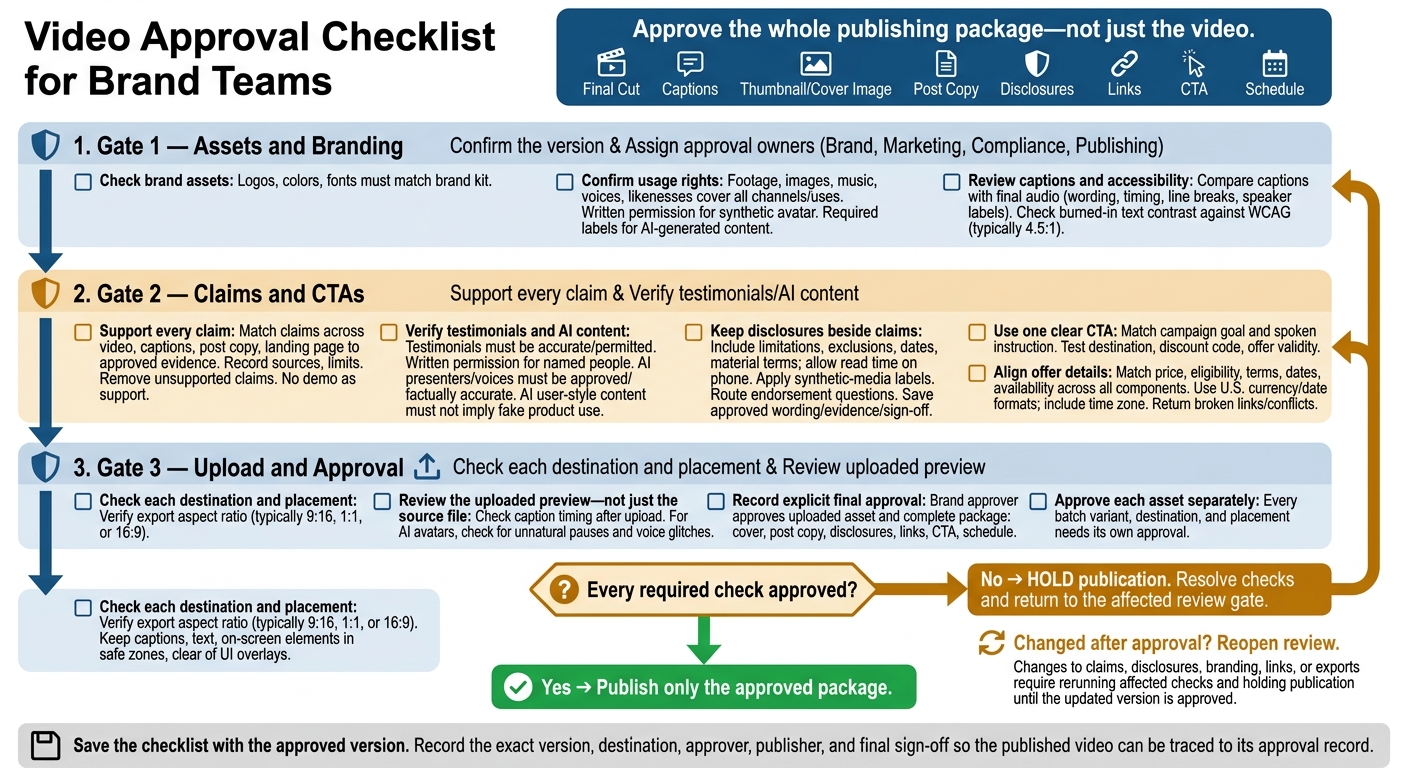
Video Approval Checklist for Brand Teams
Checklist 1: Verify Assets, Reviewers, and Branding
Confirm the Version and Approval Owners
- [ ] Gather the final package. Include the final file, version number, brief, audience, offer, platform, placement, publish date, captions, cover image, URLs, tracking, disclosures, and claim support.
- [ ] Assign approval owners. Name the Brand, Marketing, Compliance, and Publishing owners in the version log.
Check Brand Assets and Audio
- [ ] Check logos, colors, and fonts against the brand kit.
- [ ] Record asset permissions. Confirm that rights for footage, images, music, voices, and likenesses cover every planned channel and paid use. Get written permission before using a synthetic avatar of a specific person. Label AI-generated or synthetic videos as the platform requires.
Review Captions and Accessibility
Check captions against the final audio for wording, timing, line breaks, and speaker labels. Check that any burned-in text meets the WCAG 4.5:1 contrast requirement.
Next, check claims, disclosures, and calls to action before export and upload.
Checklist 2: Check Claims, Disclosures, and Calls to Action
Once branding and accessibility are set, check every claim, disclosure, and CTA before export.
Verify Product Claims and Testimonials
- [ ] Match every claim to approved evidence across the video, captions, post copy, and landing page. Record the source, limits, and conditions. Remove unsupported claims before approval - demonstrations and before-and-after images aren't substitutes for approved claim support.
- [ ] Confirm testimonials and reviews are accurate and permitted. Get written permission for any named person. Send questions about endorsements and disclosures to Legal or Compliance.
- [ ] Check that AI presenters and voices are approved for use and factually accurate. AI-generated user-style content must not suggest product use or results that never happened.
Review Disclaimers and Ad Disclosures
Keep disclosures beside the claims they qualify. This includes limitations, exclusions, expiration dates, sponsorships, and other material terms. Leave them on screen long enough to read on a phone.
Apply required platform labels for synthetic media, and send regulated-category disclosures to Legal or Compliance. Save the approved wording, supporting evidence, and reviewer sign-off.
Test Links and Check Calls to Action
- [ ] Use one clear CTA that matches the campaign goal and spoken instruction. Test the destination, discount code, and offer validity before approval.
- [ ] Match price, eligibility, terms, dates, and availability across the video, post copy, and landing page. Use U.S. currency and date formats, and include a time zone for timed expiration. Send broken links, conflicting terms, or missing disclosures back for review.
After content approval, check export specs and upload previews before final sign-off.
Checklist 3: Check Platform Specs and Final Approval
Verify Export Specs and Upload Previews
- [ ] Check each destination and placement separately. Verify the export’s aspect ratio - typically 9:16, 1:1, or 16:9. Keep captions, text, and other on-screen elements inside safe zones and clear of platform UI overlays.
- [ ] Review the uploaded preview, not just the source file. Check caption timing in the final rendered version after upload. For AI avatars, also look for unnatural pauses or voice glitches.
Record Sign-Off and Rules for Reapproval
Get explicit final approval before publishing. The designated brand approver must approve the uploaded asset and the full publishing package: cover image, post copy, disclosures, links, CTA, and schedule.
Reopen review when anything changes. If claims, disclosures, branding, links, or exports change after approval, rerun the affected checks. Hold publication until the updated version is approved.
Apply the Checklist to Video Batches
Use the same checklist for every batch, but approve each asset separately. Batch review can reduce repeated comments. Each variant, destination, and placement still needs its own approval.
Conclusion: Publish Only the Approved Package
After final approval is recorded, publish only the approved package. Keep the video on hold if any check remains unresolved. Every required check must be approved before the video goes live.
Save the checklist with the approved version. Record the exact version, destination, approver, publisher, and final sign-off so you can trace the published video back to the approved version.
FAQs
How should we resolve conflicting reviewer feedback?
Keep approvals simple with one centralized process instead of a long chain of sign-offs. Agree on your brand voice and style guide during onboarding so you don’t need to approve every script or video separately. If a video misses the mark or contains errors, request revisions through a direct feedback loop.
Sun Scroller’s free-redo policy covers videos that don’t match your brand, so you can get fixes fast without a drawn-out internal agreement process.
Which video changes require a full reapproval?
Full reapproval is required if a video doesn’t meet your brand standards or includes incorrect details about your brand identity. Request a redo so the video matches your brand voice and style guide.
Once you finalize your guidelines during onboarding, Sun Scroller handles production on its own. You’ll still need to review and correct any errors or departures from your brand materials to keep your social channels consistent.
How can we speed up approvals without skipping checks?
Set your brand voice and style guide during onboarding instead of approving every script or video separately. These pre-approved standards keep content consistent and cut down on approval steps.
For a managed approach, Sun Scroller handles production and posting using your guidelines. If a video misses the mark, its fast-fix redo policy lets you make corrections without slowing the overall production pipeline.