
AI Unboxing Video Ads for Subscription Box Brands
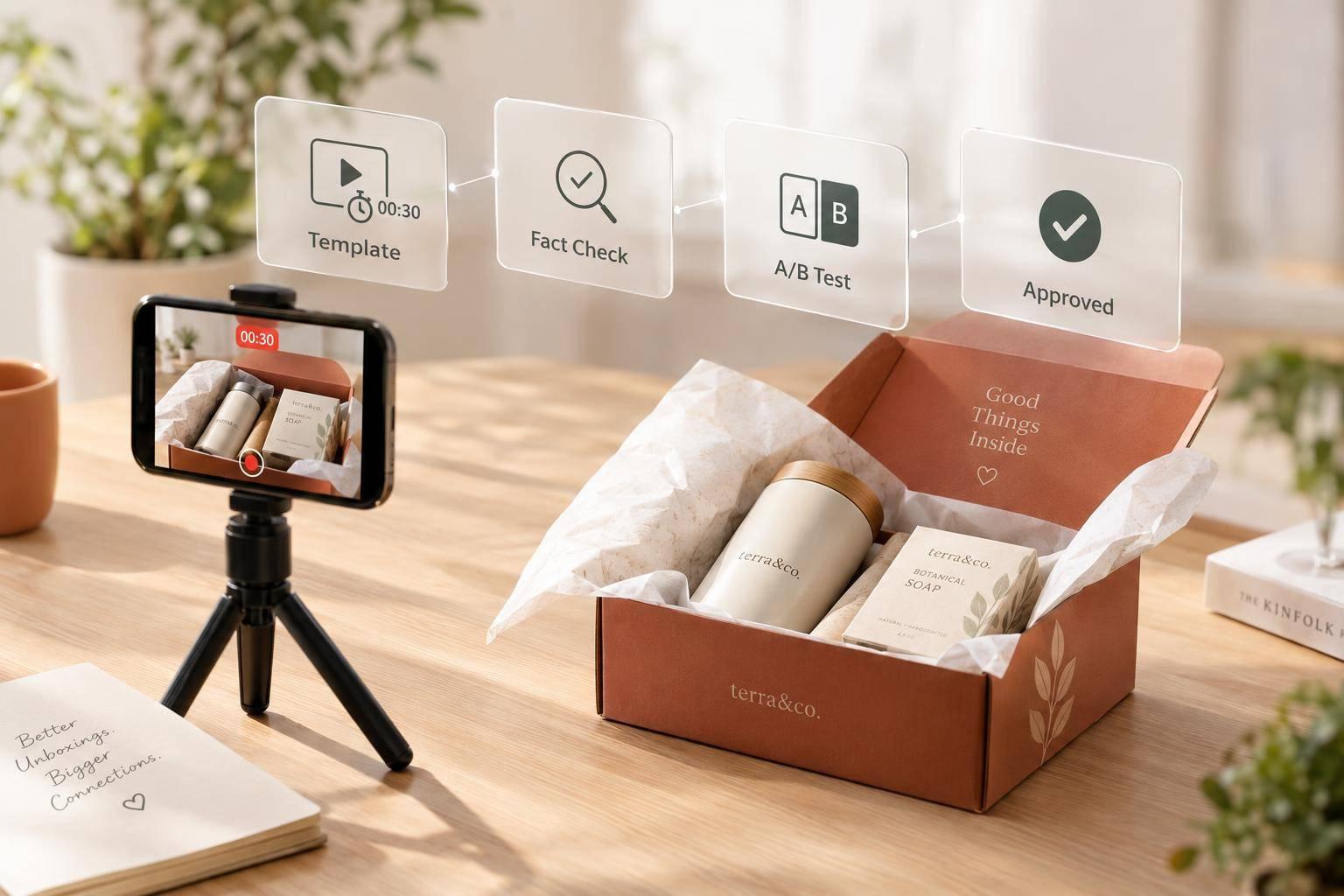
AI Unboxing Video Ads for Subscription Box Brands
I start with one approved monthly brief and a reusable 30-second video template. That keeps each ad tied to the actual box, price, and offer - not whatever the AI generates.
Here’s the workflow I use:
- Confirm the facts: products, theme, U.S. pricing, subscription terms, and brand rules.
- Build the video: open with the box, show the items, and reserve the final five seconds for one clear CTA.
- Test one change at a time: compare hooks first, then formats, while keeping the audience and offer fixed.
- Check before publishing: verify product visuals, captions, terms, disclosures, and availability.
I use subscription conversions alongside channel analytics to guide the next month’s tests. Whether I produce in-house or use Sun Scroller, my release rule stays the same: <u>publish only approved ads, and pause them when the box or offer is no longer available.</u>
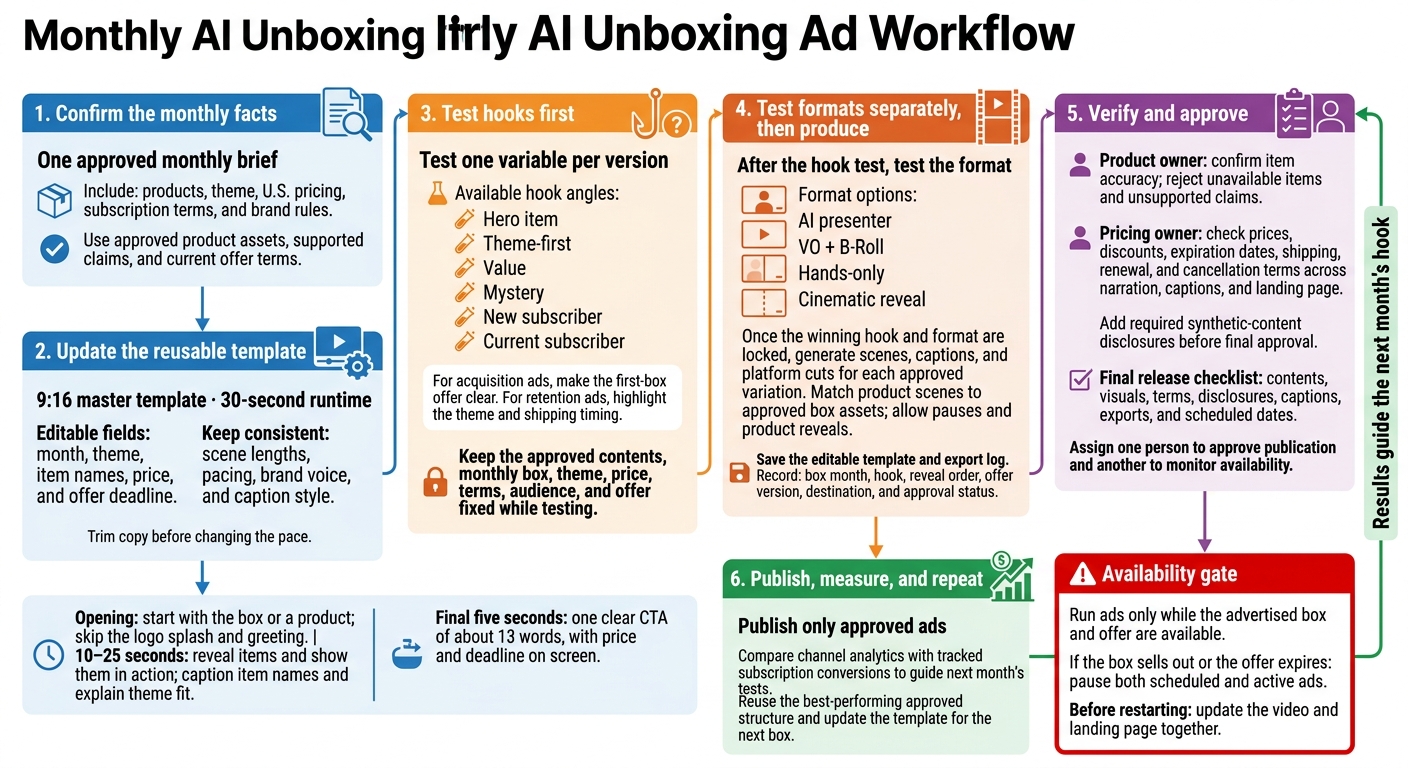
Monthly AI Unboxing Ad Workflow
Build a Reusable Vertical Unboxing Template
Create one 9:16 master template with editable fields for the month, theme, item names, price, and offer deadline. Keep scene lengths, pacing, brand voice, and caption style consistent. Write for the fixed 30-second runtime - trim the copy before changing the pace.
Use the approved brief to update only the month, theme, items, and offer fields. The box contents change, but the format stays the same.
Open With a Hook and the Box
Start with the box or a product inside it - skip the logo splash and greeting. Move straight from that opening into the first item reveal.
Reveal Each Item and Its Theme Fit
Use the 10–25 second window to reveal the items and show them in action. Update item names and theme references each month without changing the layout. Put item names in captions so the narration can focus on how each item fits the theme. Move to the offer immediately after the last reveal.
Close With the Offer and CTA
Save the final five seconds for one CTA of about 13 words. Display the price and deadline on screen alongside it.
Create Ad Variations for Testing
Once the monthly brief is locked, test one variable per version. Use the same approved contents, theme, and offer. Keep the monthly box, price, and terms unchanged.
Match Hooks to New and Current Subscribers
Use the approved monthly box as your control, then change only the opening angle.
| Hook angle | Primary hook | Best use | Required evidence | Risk of confusion |
|---|---|---|---|---|
| Hero item | Lead with the star product | High-value items or famous brands | Close-up B-roll of the item | May overshadow the other box contents |
| Theme-first | Lead with the monthly vibe | Seasonal or holiday boxes | Visuals that match the theme | May feel less concrete than showing items |
| Value | Lead with the total retail value | Price-sensitive audiences | Price comparison graphics | Retail claims must stay accurate |
| Mystery | Lead with the surprise | Building curiosity/FOMO | Blurred or wrapped items | High; may frustrate viewers who want spoilers |
| New subscriber | Lead with the first-box offer | Customer acquisition | Clear CTA with a discount code | Current subscribers may feel left out |
| Current subscriber | Lead with the shipping update | Retention and anticipation | Coming soon graphics | New users may miss the offer |
For acquisition ads, make the first-box offer clear. For retention ads, highlight the theme and shipping timing.
Choose an Unboxing Video Format
After testing the hook, test the format separately.
| Format | Production requirements | Strengths | Limitations |
|---|---|---|---|
| AI presenter | Script, avatar selection, voice cloning | Test many hooks fast at a low cost | Lower trust for items that need more purchase consideration |
| VO + B-Roll | Product footage, AI voiceover | Keeps the focus on products; easy to edit | Lacks a personal connection or human face |
| Hands-only | Footage of someone handling the products | Feels like a genuine unboxing; believable | Harder to swap hooks without reshooting |
| Cinematic reveal | High-quality lighting and motion | Premium brand feel; high engagement | Slowest to produce; hardest to scale |
Keep the audience and offer fixed. Use hands-only footage for a genuine unboxing feel and cinematic reveals for a premium look.
Produce, Review, and Publish Monthly Ads
Generate Scenes and Platform Cuts
Once you’ve locked in the winning hook and format, turn the approved monthly brief into scenes, captions, and platform cuts for each approved variation. Work with approved assets, and leave time for pauses and product reveals.
Match every product scene to the approved box assets. Save the editable template and export log with each version. Record the box month, hook, reveal order, offer version, destination, and approval status so you can track next month’s changes.
Review Accuracy and Disclosures
Before scheduling, move from editing to verification. The product owner should confirm item accuracy and reject unavailable items or unsupported claims. The pricing owner should check prices, discounts, expiration dates, shipping, renewal, and cancellation terms across the narration, captions, and landing page. Add any required synthetic-content disclosures before final approval.
Use a final release checklist that covers contents, visuals, terms, disclosures, captions, exports, and scheduled dates. Assign one person to approve publication and another to monitor availability.
Run ads only while the advertised box and offer are available. If the box sells out or the offer expires, pause both scheduled and active ads. Update the video and landing page together before restarting.
Use Sun Scroller for Monthly Production
Sun Scroller provides monthly short-form production to turn each monthly box into approved exports. Its services cover synthetic UGC, AI-avatar ads, product ads, cinematic storytelling, and multi-format social content.
Use its brand voice, approval controls, and channel analytics to keep monthly batches consistent and measure their results. Provide approved product assets, supported claims, and current offer terms so each export is ready to schedule on time.
Conclusion: Repeat the Workflow Each Month
Use each box to update the template. Finalize the month’s facts, then test one variable at a time.
Let results guide the next hook. Compare channel analytics with tracked subscription conversions.
Reuse the best-performing approved structure, and publish only after brand review.
FAQs
How do I advertise boxes with personalized contents?
Build video ads around the unboxing experience and product variety. Keep the script to 15–30 seconds: start with a strong hook, highlight one benefit, briefly reveal what sets the contents apart, and end with a clear call to action.
Reuse a product demo or behind-the-scenes format to showcase each month’s theme and items. Sun Scroller creates AI video assets tailored to that month’s contents. Make sure the visuals and on-screen text match the specific offer.
How many conversions do I need to judge a hook?
Don’t judge a hook by a set number of conversions. Instead, post consistently for at least four weeks, then check which hooks and video formats brought in the most views across your channels. Use those results to find your best-performing hooks and focus on them the next month.
Can I reuse winning ads for next month’s box?
Yes. Check your channel-specific analytics to see which hooks and formats worked best. Use high-performing evergreen content as a starting point for next month’s box - it has already shown it can hold your audience’s attention. Rather than make every video from scratch, repurpose successful concepts for your next monthly cycle.