
Educational LinkedIn Videos: Brand vs Founder Voice
Educational LinkedIn Videos: Brand vs Founder Voice
I’d use a founder profile for personal lessons and a company page for official guidance. Before drafting, choose one topic, one owner, and one metric. Use both channels only when each video gives viewers a different reason to watch.
Here’s how I’d make the choice:
- Founder profile: Best for experience, opinions, and lessons tied to the executive. Plan for founder approval, expert fact-checking, and gaps in availability.
- Company page: Best for product instructions, onboarding, and company research. Assign brand and accuracy reviewers, then save approved scripts, sources, and videos for team reuse.
- Both: Share the same facts, but change the angle and next step. The company explains how; the founder explains why.
Quick Comparison
| Decision point | Founder profile | Company page |
|---|---|---|
| Voice and authority | Personal experience and judgment | Approved company guidance |
| Reach and trust | Relevant personal audience; firsthand knowledge | Page audience; named experts and checked details |
| Review | Founder sign-off and fact-checking | Brand and subject-matter review |
| Continuity and ownership | Depends on executive availability; record asset ownership | Team-run publishing and stored company assets |
| Success measures | Relevant discussion and qualified inquiries | Traffic, inquiries, and conversions |
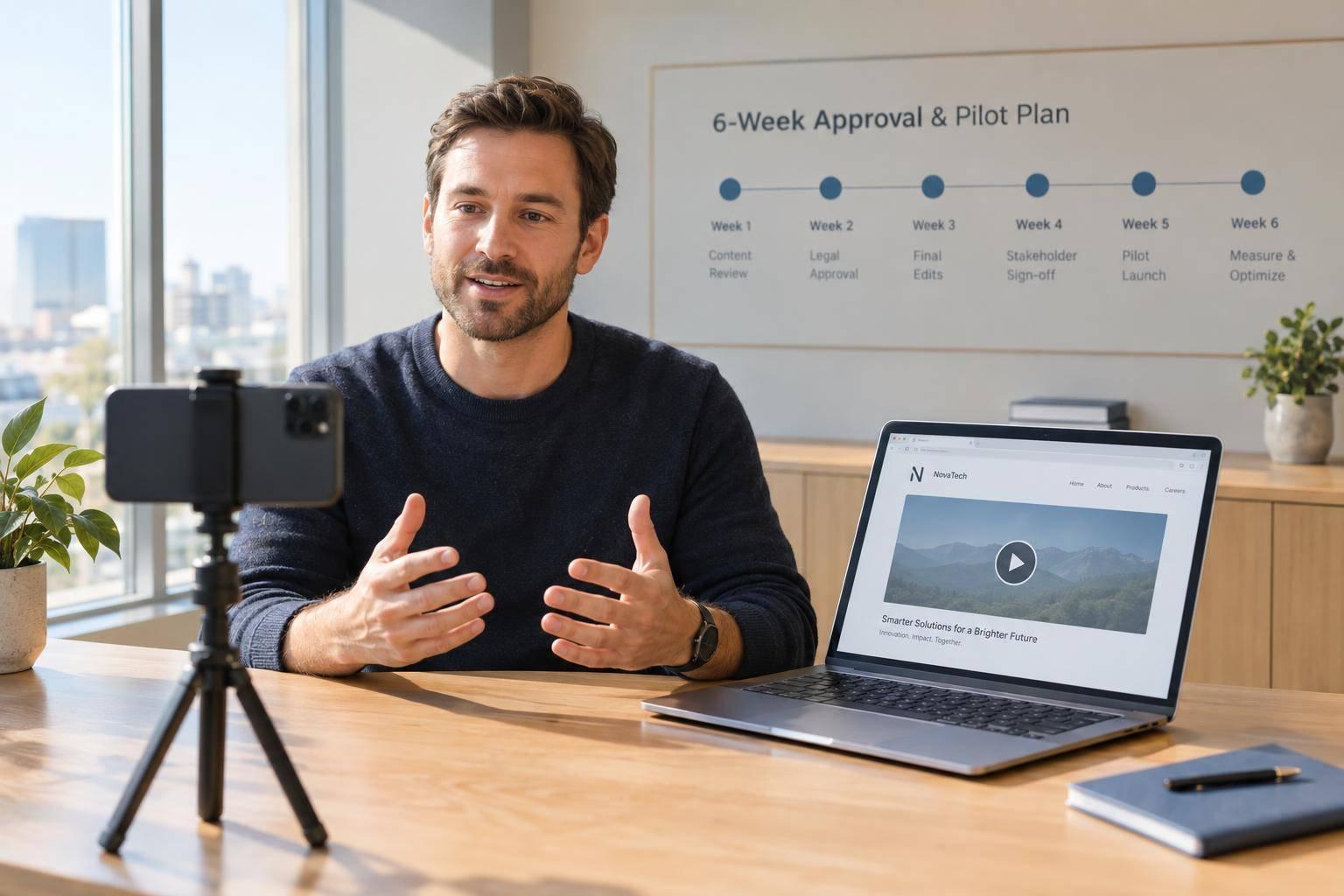
Neither channel guarantees more reach. I’d run a 4- to 6-week pilot, compare each account with its own baseline, and track review time - not just views.
My rule: <u>AI delivery does not replace human approval.</u> Whether you film directly or use a production service, keep final review, publishing permissions, comment handling, and records with the responsible team. Pause any video with unresolved legal, privacy, confidentiality, or claim concerns.
Founder Profile vs. Company Page: Reach, Trust, and Control
Neither channel guarantees more reach or trust. For educational thought leadership, choose based on who should own the lesson - and whether it calls for a personal voice, tighter message control, or a repeatable company format.
Use this comparison to match the channel to the lesson, approval process, and ownership needs.
| Comparison | Founder or executive profile | Company page |
|---|---|---|
| Main strength | Ties the lesson to a person’s experience and point of view | Shares a consistent, approved company position |
| Educational role | Executive lessons, market commentary, and informed opinions | Product explanations, onboarding, process education, and research findings |
| Distribution | Plan around the executive’s relevant audience and availability | Plan around consistent posting and the page’s audience |
| Trust signals | Clear attribution and firsthand knowledge | Accurate details, named experts, and product visuals |
| Workflow control | Founder sign-off plus subject-matter review | Brand review plus access to product details and source material |
| Continuity | Keep approved lessons ready for weeks when the executive is unavailable | Store approved scripts and assets for team reuse |
These tradeoffs shape how each channel works in practice.
Founder Videos: Lessons and Personal Views
Focus each video on one lesson the executive can stand behind. Label market commentary and firsthand observations as interpretation, not settled fact. Set clear limits on confidential information, and require review even when the delivery feels casual.
Plan for posting gaps, delayed approvals, and dependence on one speaker’s schedule.
A synthetic avatar can deliver an approved lesson without the founder filming it. But the founder must approve both the final script and the video.
Company Videos: Official Guidance and Long-Term Ownership
Choose the company page when a lesson needs to stay consistent across teams and over time. Product education, process explanations, onboarding, and research findings should use approved language and checked details.
Use cutaway visuals to show how something works rather than relying on broad claims. Keep research findings tied to the approved source material.
Team ownership should preserve the expertise, not make the delivery rigid. Name the expert, assign an accuracy reviewer, and store approved scripts alongside their source material. That keeps the page’s voice human and its guidance available when an individual presenter is not.
Team Roles and Approval Workflows
LinkedIn Video Approval Workflow: Founder vs Company
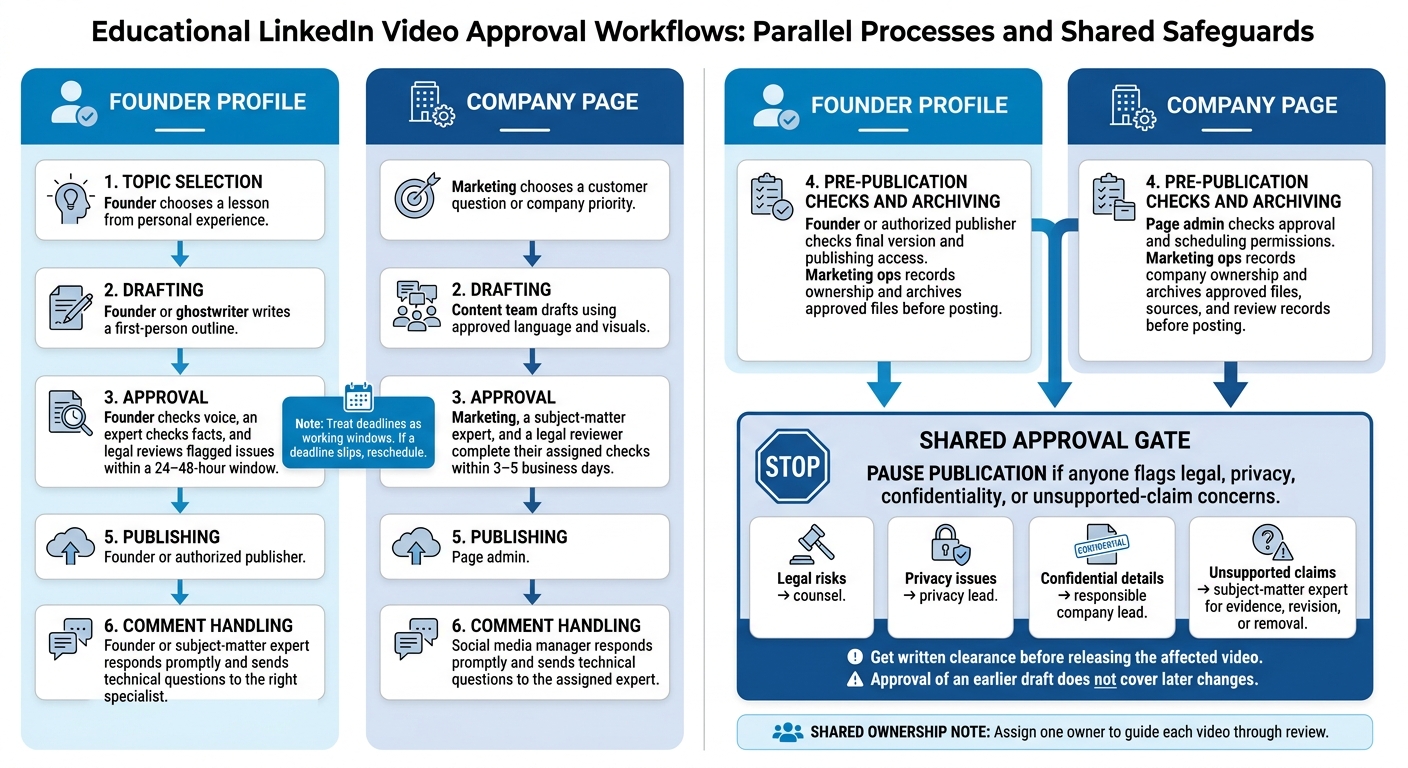
After choosing a voice, set up a workflow that reflects who owns the expertise and who approves it. Assign one owner to guide each video through review. Treat deadlines as working windows. If a deadline slips, reschedule.
| Stage | Founder profile | Company page |
|---|---|---|
| Topic selection | Founder chooses a lesson from personal experience. | Marketing chooses a customer question or company priority. |
| Drafting | Founder or ghostwriter writes a first-person outline. | Content team drafts using approved language and visuals. |
| Approval | Founder checks voice, an expert checks facts, and legal reviews flagged issues within a 24–48-hour window. | Marketing, a subject-matter expert, and a legal reviewer complete their assigned checks within 3–5 business days. |
| Publishing | Founder or authorized publisher checks the final version and publishing access. | Page admin checks approval and scheduling permissions. |
| Comment handling | Founder or subject-matter expert responds promptly and sends technical questions to the right specialist. | Social media manager responds promptly and sends technical questions to the assigned expert. |
| Asset ownership | Marketing ops records ownership and archives approved files before posting. | Marketing ops records company ownership and archives approved files, sources, and review records before posting. |
Pause publication if anyone flags legal, privacy, confidentiality, or unsupported-claim concerns. Send legal risks to counsel, privacy issues to the privacy lead, and confidential details to the responsible company lead. Send unsupported claims to the subject-matter expert for evidence, revision, or removal.
Get written clearance before releasing the affected video. Approval of an earlier draft does not cover later changes.
Founder Workflow: Turn Expertise Into Approved Videos
Use the founder path for lessons drawn from personal experience. Start with a question the executive can answer from that experience.
Confirm authorized publishing methods: company-page permissions do not grant personal-profile access. Send deep-domain comments to the founder or a named expert, and track profile metrics and comment threads.
Company Workflow: Build and Store Approved Videos
Use the company path when the lesson needs to stay consistent across teams. Give reviewers one package containing the script, documented brand language, visuals, and supporting sources.
Store the package alongside the approved video and review records for legal and compliance audits. Track channel analytics to see which formats generate traffic.
Sun Scroller: Monthly AI Video Production Support
The same approval gates apply when teams produce videos at scale.
Sun Scroller supports monthly AI video production, brand review controls, LinkedIn publishing, and channel analytics. The brand should retain final approval, factual review, comment moderation, and records.
When to Use Each Channel - or Both
Once the workflow is set, choose the channel based on where the lesson’s authority comes from. Match it to the lesson’s control needs and approval path.
| Educational purpose | Starting channel | Why it fits |
|---|---|---|
| Personal teaching | Founder profile | The lesson draws on the founder’s experience and judgment. |
| Discussion-led lessons | Founder profile | A personal viewpoint suits lessons built around experience and reflection. |
| Official guidance | Company page | Viewers need the company’s current, approved guidance. |
| Team-run series | Company page | The series needs to continue even when one person isn’t available. |
| Shared education | Both, coordinated | One topic can support an official explanation and a personal lesson. |
Give Each Channel a Different Lesson
Give viewers a reason to watch both versions. Align the facts, but use a different hook, perspective, and CTA. The company explains what to do and how. The founder explains why the approach matters.
For a hypothetical service business, the company video could explain its client onboarding process, opening with the steps clients need to follow and ending with a link to the instructions. The founder’s version could discuss a lesson learned while improving that process, opening with the problem that prompted the change and inviting viewers to discuss similar challenges.
Illustration only.
Measure Each Channel Against Its Goals
Measure each channel against its own job - not the same vanity metrics. Look at engagement alongside inquiry quality and workload.
| Metric category | What to track | What it helps assess |
|---|---|---|
| Educational engagement | Views, shares, and watch time or completion rate where available | Whether people stay with the lesson and pass it along |
| Audience relevance | Relevant follower growth and the job titles or industries of inquirers | Whether the content reaches the intended audience |
| Business outcomes | Tagged-link visits, qualified inquiries, and conversions | Whether education leads to the intended next step |
| Workload | Hours spent preparing and reviewing; approval turnaround; videos published | Whether the output justifies the work |
Run a 4- to 6-week pilot with separate goals for each channel. Record each account’s baseline, use separate tagged links, and track which videos people mention in inquiries. Compare results with each account’s own baseline, taking audience size, topic, workload, and distribution - including paid support - into account. Continue coordinated publishing only if the added educational value and outcomes justify the extra work.
Conclusion: Match the Channel to the Source of Expertise
Choose the voice that owns the lesson. Use a founder profile for lessons drawn from experience and personal views. Use a company page for controlled guidance based on product documentation and company standards. Use both only when the lesson needs two distinct versions.
If you use both channels, write one master brief and tailor it to each channel. Keep one master brief, one approver, and one shared style guide.
Before drafting, pick one topic, one owner, and one channel-specific metric.
FAQs
Which channel should I prioritize if both audiences are small?
Put the founder or executive profile first. People connect more deeply with individuals than with companies, so a personal voice helps build trust and engagement early on. Keep the company page as your brand’s professional presence.
To post consistently without overloading your team, Sun Scroller can automate video production and help publish approved content across both channels. That leaves you more time to interact with your audience.
How can I disclose AI avatars without undermining trust?
Label the content as AI-generated in the video caption or a short on-screen text overlay. Sun Scroller creates avatars and scripts using your brand’s own material and tone, so the content stays true to your voice.
Review and approve every video before publishing. This keeps you in control of the message and quality and helps your audience trust your brand’s consistency and accuracy.
Who owns founder videos if the founder leaves?
Ownership usually depends on the founder’s employment contract or intellectual property agreement. Videos created as part of the founder’s job generally belong to the company. But if those videos live on a personal profile, the founder may still control the account.
Set clear terms for content rights and account access before production starts. Sun Scroller produces brand-owned AI video content to help keep output consistent when personnel change.