
Facebook Meta A/B Test Setup: Best Practices
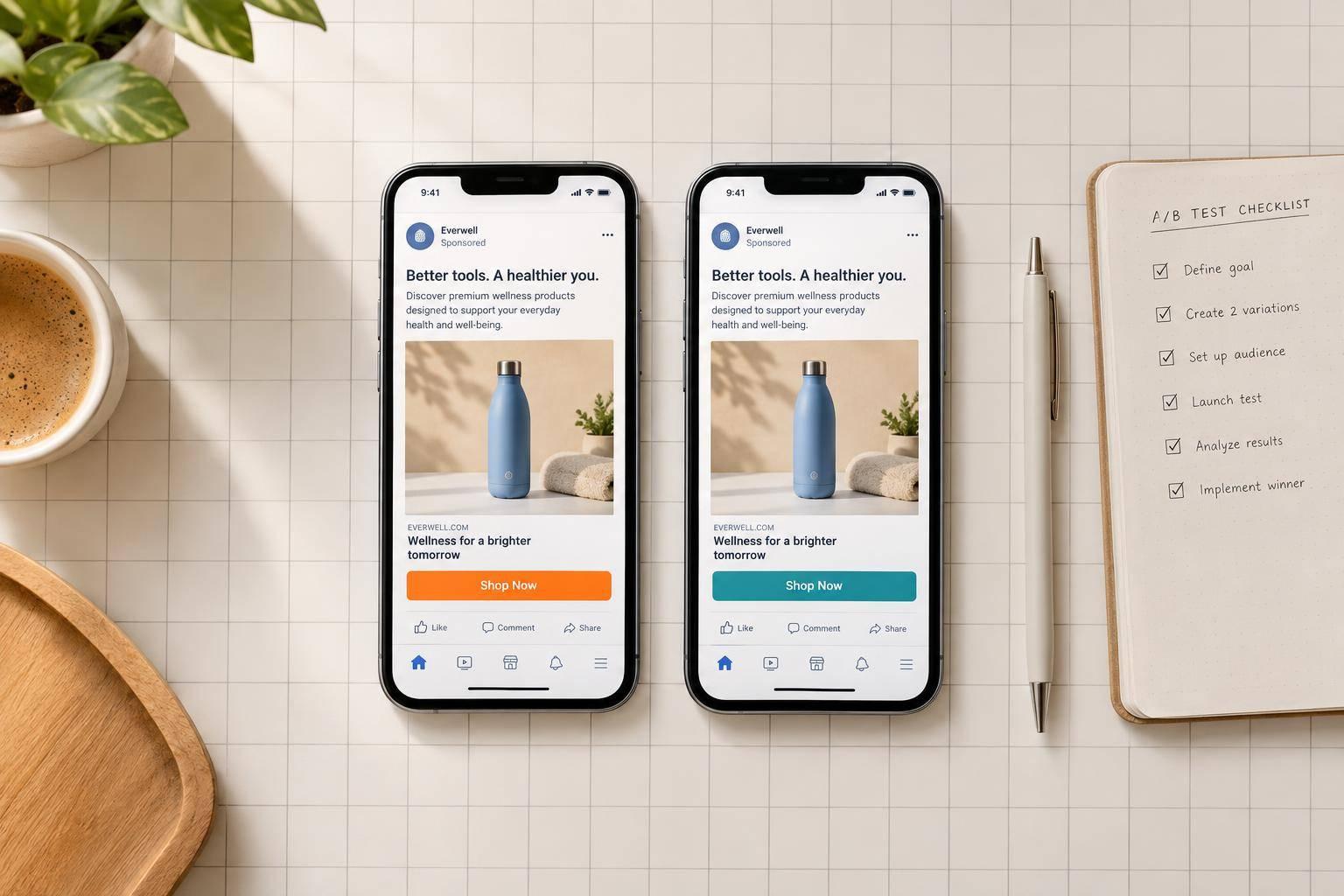
Facebook Meta A/B Test Setup: Best Practices
I test one change at a time in Meta’s A/B Test or Experiments workflow - not by turning ads on and off. Before launch, I choose one goal metric and a rule for picking the winner. Then I keep the other settings fixed.
Here’s my setup checklist:
- Prepare video versions: For a hook test, change only the first 0–3 seconds.
- Choose one test variable: Keep the body, offer, CTA, and other settings the same.
- Match budgets and delivery: Base spending on the data needed, not a fixed dollar amount.
- Match schedules: Plan for at least 7 days when volume allows.
- Separate audiences: Use Meta’s randomized groups and check overlap with other campaigns.
- Match placements and formats: Check crops, captions, branding, and CTA visibility.
- Save settings and results: Record the hypothesis, metric, decision rule, and final outcome.
My rule: <u>no clear result means no winner</u>. I use manual ad comparisons to find test ideas - not to decide where to spend - and treat early leads as unfinished results.
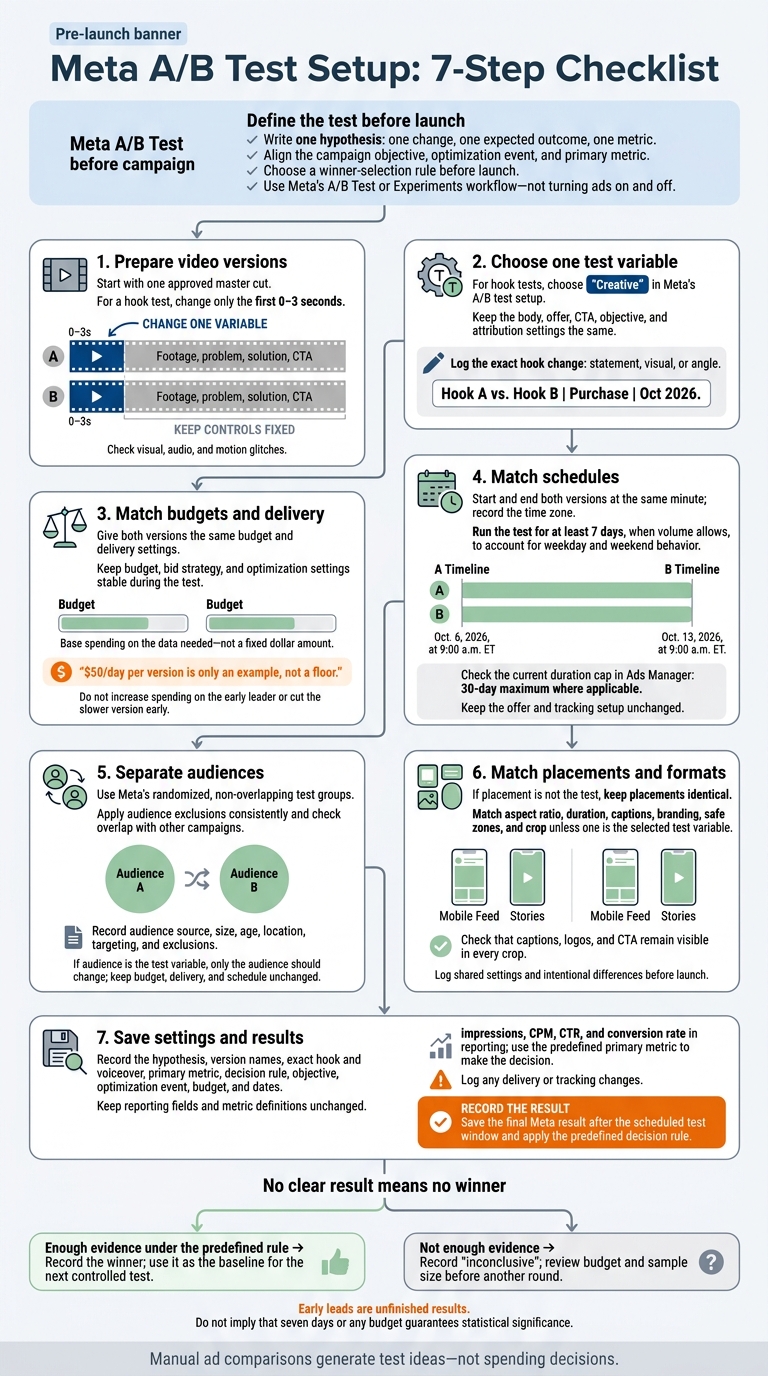
Meta A/B Test Setup: 7-Step Checklist
Define Your Hypothesis and Set Up a Meta A/B Test
Write your hypothesis before opening Meta’s test workflow. State one change, one expected outcome, and one metric before launch. Keep the campaign objective, optimization event, and primary metric aligned with your goal.
Decide how you’ll select a winner before launch. Run the test until it produces a statistically meaningful result. If the planned test ends without enough evidence to name a winner, record it as inconclusive.
Use Meta’s A/B Test or Experiments workflow to split people into randomized, non-overlapping groups. This keeps the same person from seeing both versions.
Once you’ve set the test framework, leave the reporting fields unchanged. Before publishing, log the objective, optimization event, test metric, budget, and dates for later analysis. Confirm that your reporting columns include impressions, CPM, CTR, and conversion rate.
1. Prepare Controlled Video Variants
Start with one approved master cut. To test the hook, change only the first 0–3 seconds. Keep the problem, solution, and CTA identical. Once the variants are locked, leave every other test variable unchanged.
Sun Scroller can produce brand-approved short-form ad variants for this test.
Before approving the files, compare them side by side. Make sure the remaining footage matches, and check for visual, audio, and motion glitches. Then launch both versions with the same budget, schedule, and audience controls.
Use the approved files in Meta, and let Meta’s results determine the winner.
2. Test One Variable at a Time
With controlled variants ready, choose “Creative” in Meta’s A/B test setup for hook tests. Change only the hook, keeping the body, offer, and CTA identical. Keep the objective and attribution settings the same, too. Any other change makes the result harder to interpret.
Log the exact hook change - statement, visual, or angle - and use the same variable name in both your test log and campaign name. Name the test like this:
Hook A vs. Hook B | Purchase | Oct 2026
Once you’ve documented the change, keep budgets and delivery settings equally controlled.
3. Keep Budgets and Delivery Settings Stable
Once the creative change is fixed, keep delivery conditions identical. Give both versions the same budget and delivery settings before launch. Don’t change the budget, bid strategy, or optimization settings mid-test.
$50/day per version is only an example, not a floor.
Set your budget based on how much data you need, not a fixed spending amount. Keep that budget in place for the full test window, or until you have enough data to call a winner. Any estimate is a planning aid - not a guarantee that you’ll get a clear winner.
Don’t increase spending on the early leader or cut the slower version before the test ends. Keep the planned schedule unchanged throughout the test.
4. Run Both Versions on the Same Schedule
With budgets locked, set the test window. In Meta’s Experiments tool, schedule both versions to start and end at the same minute. Record the time zone so everyone reads the schedule the same way:
Oct. 6, 2026, at 9:00 a.m. ET through Oct. 13, 2026, at 9:00 a.m. ET.
Run the test for at least 7 days, when volume allows, to account for weekday and weekend behavior. Before launch, check the current duration cap in Ads Manager. Meta sets a 30-day maximum where applicable. Review results after the scheduled end, and wait for statistical significance before calling a winner.
Pick dates without planned changes to the offer or tracking setup, and keep both unchanged throughout the test. Once the schedule is set, separate audiences to prevent overlap.
5. Separate Audiences and Limit Campaign Overlap
With budget and timing set, control who sees each version. Use audience exclusions to keep the groups separate so the same person doesn’t see both versions.
Apply exclusions consistently across both groups. Before launch, record each audience’s source, size, age, location, targeting, and exclusions.
Check whether other campaigns reach the same people and could skew your read on ad performance. Limit that overlap, and note any active campaigns you can’t isolate.
If audience is the test variable, leave budget, delivery, and schedule unchanged. Only the audience should change.
Next, match placements and any format changes across both versions so delivery doesn’t skew the results.
6. Match Placements and Record Format Changes
If placement isn’t the test, keep placements identical. Use the same placements in both versions, don’t add extra platforms, and lock the same format settings across both.
These settings control how the ad appears in each placement. Match the aspect ratio, duration, captions, branding, and safe zones. Keep the crop the same, too - unless that’s the variable you’re testing.
Make sure the CTA fits the placement and the on-screen visual. Check every crop to confirm that captions, logos, and the CTA remain visible. Log those checks before launch.
Record placements, aspect ratio, duration, crop, captions, branding, and any format changes. Mark which settings both versions shared and which were part of the test. This log helps you compare results without guessing how format affected them, while keeping placement effects separate from ad content performance.
7. Record Test Settings and Results
Create one test record before launch. Include your hypothesis, version names, the exact hook and voiceover for each version, your primary metric, and your decision rule. Once the test is live, make sure every setting is recorded before reviewing performance.
Set a review date that lines up with your planned test window.
During the test, track only metrics tied to your decision rule. Monitor the previously locked impressions, CPM, CTR, and conversion rate in Meta Ads Manager. Use the same definitions across versions, and ignore early noise until you have enough data. Log any changes to delivery or tracking during the run.
When the test ends, save the final Meta result and apply your predefined decision rule. If the data doesn’t support a clear winner, mark the test as inconclusive rather than forcing a choice.
Meta A/B Tests vs. Manual Ad Comparisons
Controlled budgets, timing, and audiences matter. But how you run the test still determines how much you can trust the result.
When the result will guide spending, use Meta’s A/B Test or Experiments workflow. Turning ads on and off can help you find ideas to test, but it can’t isolate what caused the performance difference.
The comparison below shows which methods can isolate a winner and which provide only informal signals.
| Setup method | Audience separation | Budget control | Variable isolation | Reliability of results | Appropriate use |
|---|---|---|---|---|---|
| Meta A/B Test / Experiments | Prevents overlap between test groups | Even, stable budgets | Isolates one selected variable | Strongest evidence; enough data required | Confirm performance before scaling |
| Turning ads on and off | Risk of overlap and auction competition | Manual budgets can shift | Timing and other factors can change | Suggestive only | Generate ideas only |
| Separate campaigns | Audiences may overlap | Unequal budgets can distort the result | Several settings can differ | Informal signal | Gather informal signals |
Use informal results only to choose candidates for the next controlled test - not to guide spending.
Conclusion: Keep Tests Controlled and Save Results
Test one variable at a time, keeping budgets, schedule, and placements unchanged.
Save each test’s settings, results, and decision metric. Note which hook, visual, or voiceover you tested so the findings can guide your next test.
Treat inconclusive results as inconclusive. If the test doesn’t produce enough volume, review the budget and sample size before running another round. Take the winner into the next controlled test and use it as your baseline.
FAQs
How much data do I need for a reliable Meta A/B test?
Plan for a test window of at least 4 to 6 weeks to give your ad account enough data to optimize properly. Your budget needs to support enough clicks or conversions throughout that period to guide your next steps. Without that data, you won’t know what’s working or what to change.
How much should you budget? That depends on your margins, sales cycle, and platform costs.
How do I reduce overlap with other active campaigns?
Give each ad set different targeting parameters to reduce audience overlap between active campaigns. Define separate audience segments so multiple campaigns don’t target the same users at once. This keeps test results cleaner and stops your ads from competing for the same impressions.
What should I change before rerunning an inconclusive test?
Before rerunning an inconclusive test, give it enough time to collect data - typically at least 4 to 6 weeks. Don’t judge results too soon: one test or video rarely gives you enough signal.
For the rerun, change just one element at a time so you can isolate variables. Sun Scroller can produce consistent, high-quality video assets to help you test different formats and hooks.