
How Brands Turn Real Reviews Into AI Video Content
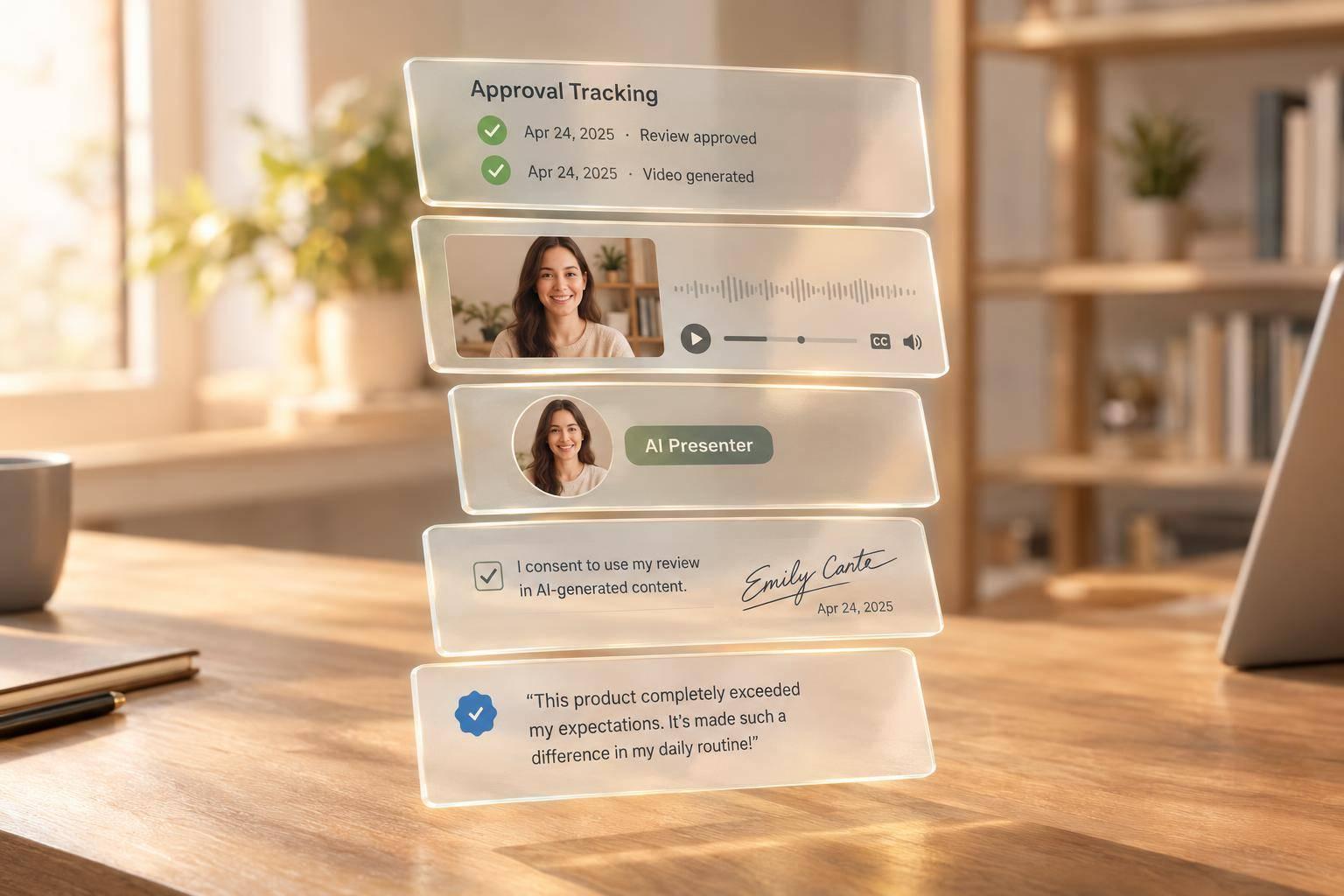
How Brands Turn Real Reviews Into AI Video Content
I turn customer reviews into AI videos by keeping the feedback intact, getting written permission, and clearly labeling the AI presenter. For a 30-second video, I aim for about 75 spoken words - without dropping the reviewer’s limits or caveats.
Here’s the process I follow:
- Verify and get permission: Check the customer, product, and claims. Document approval for the review text and any name, voice, or likeness used.
- Write a faithful script: Keep the customer’s meaning. Don’t merge reviews or turn one person’s result into a promise.
- Produce and label: Use an approved presenter, keep disclosures readable, and apply required platform labels.
- Approve and track: Review every finished cut, publish only approved files, and track watch time, engagement, clicks, and conversions.
Sun Scroller can handle production and delivery, but I still need to confirm consent and support every claim. My release rule: <u>no publishing until the review, permissions, script, labels, and final video are approved</u>.
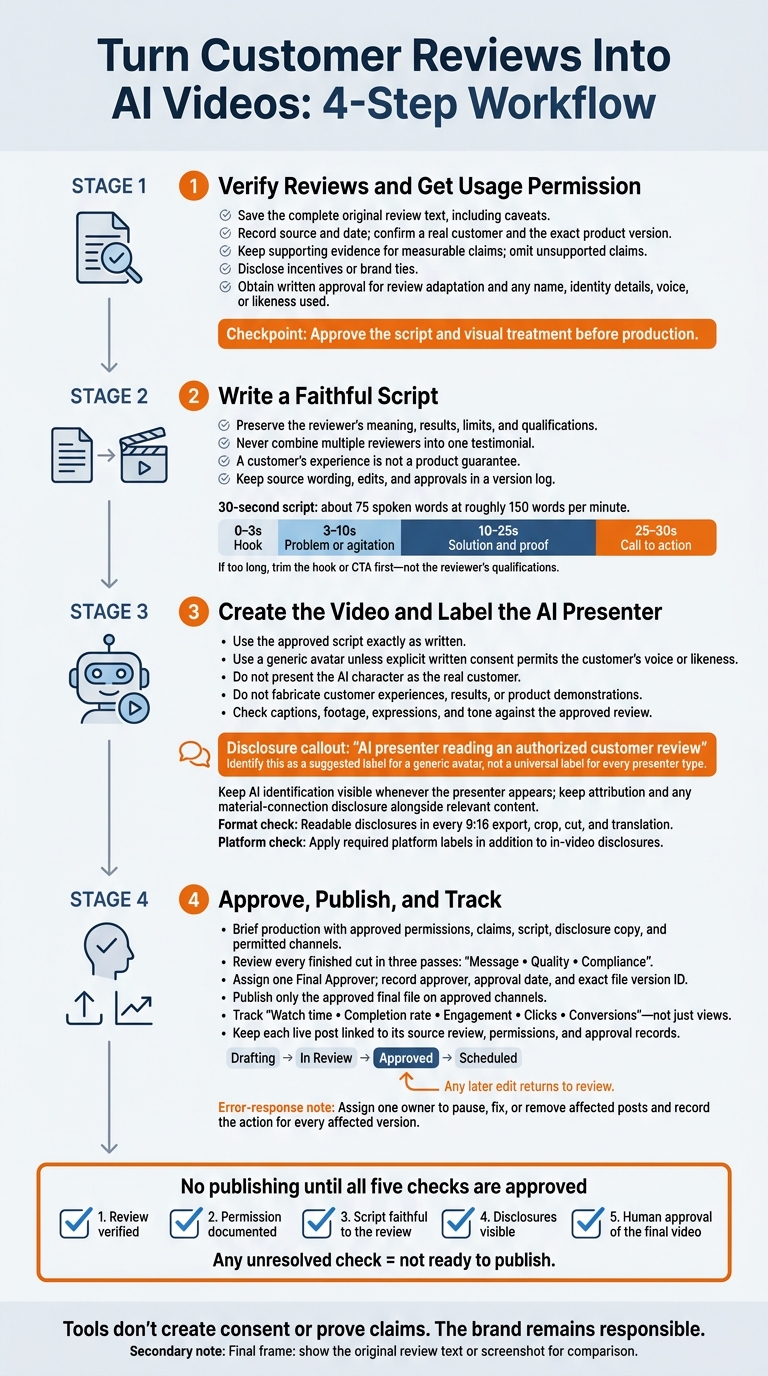
Turn Customer Reviews Into AI Videos: 4-Step Workflow
1. Verify Reviews and Get Usage Permission
Choose reviews from confirmed customers who used the exact product you’re advertising. Use only claims you can back up with evidence.
Create a Review Verification Checklist
Before using a review, check that it comes from a real customer, applies to the product, and has the required permissions. Keep a record for each review you select.
| Checklist Item | Verification Requirement |
|---|---|
| Original Text | Save the complete source text. Make sure excerpts keep the reviewer’s exact meaning and caveats. |
| Source & Date | Record where and when the review was published. |
| Reviewer status | Confirm the reviewer is a real customer through a verified purchase or other available records. |
| Product Version | Check that the reviewed model or version matches the product being advertised. |
| Supporting Evidence | Keep objective evidence for measurable claims. Leave unsupported claims out of the script. |
| Incentives or brand ties | Disclose any incentives or brand ties connected to the review. |
| Written approval on file | Save written consent covering adaptation, identity use, and any use of voice or likeness in the AI video. |
Get Written Permission for Each Use
Get written approval for both the review text and any use of the reviewer’s name, identity details, voice, or likeness.
Keep a permissions matrix so the production team can see exactly which text, identity details, and AI uses the reviewer has approved.
| Permission Element | What to Document |
|---|---|
| Content Adaptation | Approved wording, the final spoken script, visuals, and tone. |
| Name, voice, and likeness use | Written consent for any name, identity details, voice, or likeness used in the AI video. |
Send the script and visual treatment to the reviewer for approval before production. Then save the signed approval with the permission agreement.
With verification and approval in place, turn the review into a script without changing its meaning.
2. Write a Script That Preserves the Review's Meaning
Start with the approved review and shorten it without changing its meaning. Build the script around what the reviewer used the product for, the result, and any limits. Attribute the script to the review you have permission to use. Keep every qualification, and never combine multiple reviewers into one testimonial.
For a 30-second video, use this timing: a hook at 0–3 seconds, a problem or agitation beat at 3–10 seconds, a solution and proof beat at 10–25 seconds, and a call to action at 25–30 seconds. At roughly 150 spoken words per minute, aim for about 75 words. If the script runs long, trim the hook or CTA first.
Once the structure is set, check each line against the reviewer’s actual experience.
Separate Customer Opinions From Product Claims
Keep the customer’s specific experience separate from claims about the product. The review provides proof of that person’s experience - not a product guarantee.
Record Script Edits and Approvals
Keep the source wording, edits, and approvals in one version log. Record final approval before production begins.
| Original Wording | Adapted Wording | Approval Status |
|---|---|---|
| Source review text | Final spoken line | Approved |
| Qualified statement | Spoken or on-screen qualification | Approved |
| First-person passage | Attributed quote | Approved |
With the script locked, the next step is to cast the AI presenter and display clear disclosures.
3. Create the Video and Label the AI Presenter
Use the approved script exactly as written.
Choose a Presenter Based on Granted Permissions
Use a generic avatar unless you have explicit written permission to use the customer’s voice or likeness. Do not present the AI character as the real customer.
Presenter Type Required Permission Suggested On-Screen Label Generic avatar Platform license and review permission “AI presenter reading an authorized customer review” Branded presenter Internal brand approval, rights to voice and likeness assets, and review-use permission “AI brand presenter reading an authorized customer review” UGC-style AI presenter Software license and review-use permission “AI character reading a verified review” Customer replica Explicit written consent for the real customer’s voice, likeness, and review use “AI likeness of an actual customer”
If you use a cloned voice or likeness, clearly disclose it. Keep attribution and material-connection disclosures visible. Once you’ve set the presenter and label, conduct a final review before release.
Keep product footage, captions, and presenter expressions in line with the approved review. Don’t generate scenes that look like footage of the customer’s experience, or fabricate product demonstrations, customer experiences, or results. Check auto-generated captions manually for names and timing. Make sure the avatar’s expressions match the review’s tone.
Keep Disclosures Visible in Every Format
Embed readable disclosures in the video. Show AI identification whenever the presenter appears, and place attribution and any material-connection disclosure alongside the relevant content. Keep text inside safe zones, away from interface buttons and caption areas. Check that disclosures remain readable in every 9:16 export, crop, cut, and translation.
Before publishing, check each destination’s current synthetic-media policies and labeling controls, including applicable Meta requirements for Instagram and Facebook. Apply required platform labels in addition to in-video disclosures. Give the approval team a version that’s accurate, permitted, and clearly labeled in every cut, ready for publishing and tracking.
4. Approve, Publish, and Track the Video
Once the script and labels are approved, move the asset into production and manage its release.
Prepare a Production Brief for Sun Scroller
Sun Scroller can produce and publish approved monthly short-form videos across channels. Give the team the approved brief, permissions, claims, script, and disclosure copy. Specify which channels can run the video.
This brief hands off the verified review and approved materials to production. Tools don’t create consent or prove claims. The brand remains responsible for both - and for truthful advertising.
Check the Finished Video Before Release
Review the rendered video, not just the script. Check each final version in three passes: message, quality, and compliance. Confirm that the hook and CTA keep the approved meaning. Inspect audio, framing, captions, and safe zones. Then check that the finished asset matches the approved review, claims, and label. Give timestamped feedback so the creator knows exactly what to fix.
Assign one Final Approver, usually the Brand Lead or Social Media Manager. Route claims and consent questions to the appropriate internal reviewer. Record the approver, approval date, and exact file version ID.
Track assets as Drafting, In Review, Approved, and Scheduled. Any later edit must return to review; it doesn’t inherit the previous approval.
Measure Results and Keep Version Records
Publish only the approved final file, then track its performance. Use only the channels listed in the brief and keep disclosures intact. Store each version’s approval file with its supporting records so every live post links back to its source review, permissions, and approval.
Use Sun Scroller’s channel-by-channel analytics to check watch time, completion rate, engagement, clicks, and conversions - not just views. Test approved hooks without changing the review’s meaning or dropping qualifications.
Assign one owner to pause, fix, or remove affected posts when an error appears. Record the action against every affected version.
Conclusion: Keep Reviews Accurate, Permitted, and Clearly Labeled
Before release, check five things: the review is verified, permission is documented, the script stays faithful to the review, disclosures are visible, and a human has approved the video. These checks are the release gate. If any remain unresolved, the video isn’t ready.
In the final frame, show the original review text or a screenshot so viewers can compare the AI readout with its source.
AI changes how the review is delivered - not the customer’s experience or the review’s meaning. The video must make clear whose opinion is being read and that the speaker is AI. Use a verified review, document permission, and clearly label AI delivery.
FAQs
Can I use reviews with mixed feedback?
Yes, but treat the video as a brand advertisement, not a direct copy of a review. Choose content that clearly shows your product or service in action.
Assign one final approver to keep conflicting feedback from muddying your brand voice and message. Before publishing, check the script for accuracy, clarity, and polish.
What if a reviewer withdraws consent?
If a reviewer withdraws consent, remove their content immediately from every active platform. Cancel scheduled posts and update your internal asset library to record the change.
Verified reviews require explicit permission that remains in effect. Keep clear records of consent agreements, and add a final approval step to confirm that everyone featured has agreed to the use of their likeness or feedback. You’re still responsible for brand compliance and legal accuracy.
Does translating a review require new approval?
Yes. Every translated review needs a new approval pass, even if the original was already approved. Translation can shift phrasing and tone. Your brand is still responsible for accuracy, compliance, and brand voice.
Put translated assets through your standard brand and compliance review before the video goes live. Check the message, technical quality, and disclosures against the same standards you used for the original.