
How to Verify Your Business on TikTok
How to Verify Your Business on TikTok
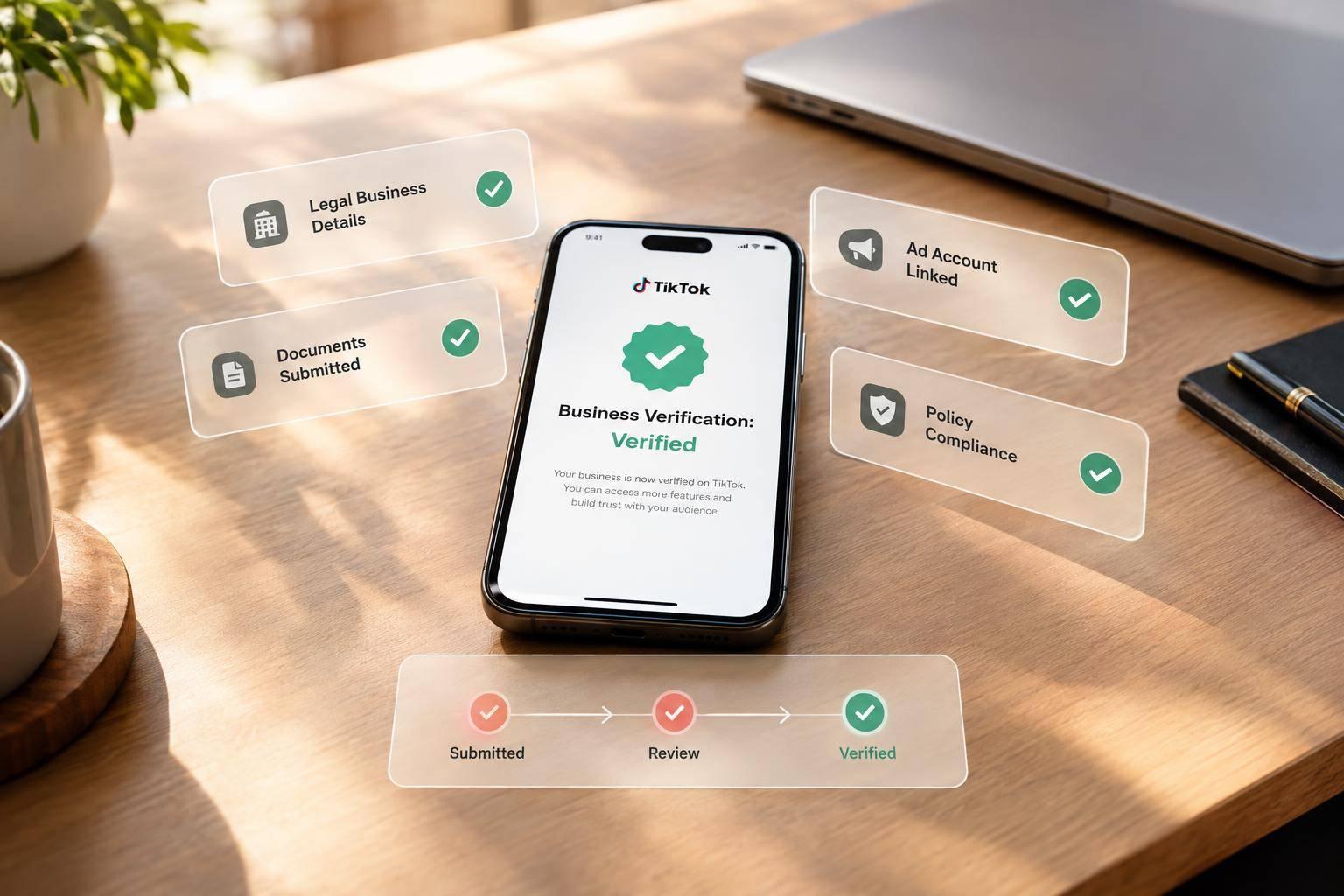
To verify your business on TikTok, submit your legal business details and an accepted document in TikTok Business Center. I’ll walk you through the application, status checks, and fixes if TikTok rejects it.
Here’s what I check before an ad launch:
- Matching details: Use your registered name, address, and registration number exactly as shown on your document.
- A readable document: Upload a valid U.S. business document with all 4 corners visible.
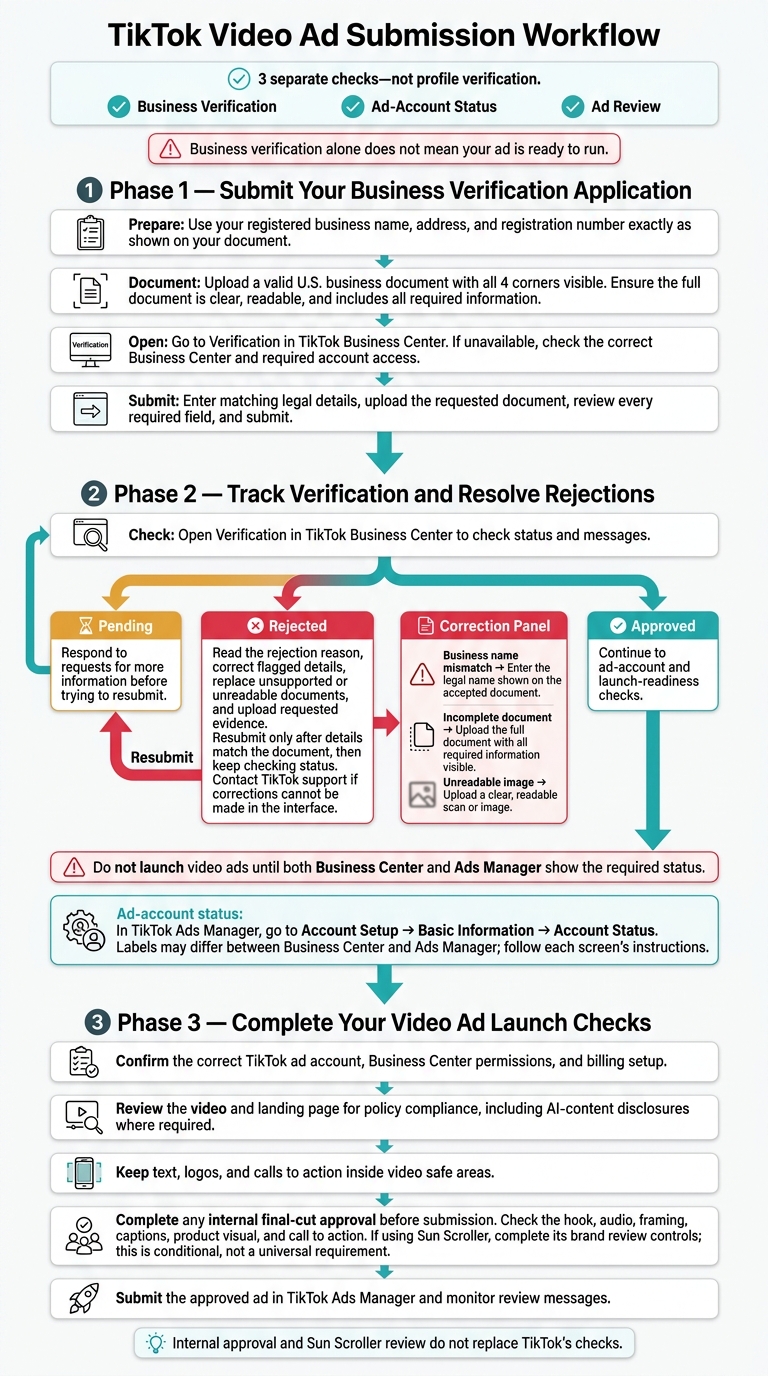
- Separate approvals: Business verification, ad-account status, and ad review are 3 separate checks - not profile verification.
- Launch readiness: Confirm permissions, billing, video and landing-page policies, AI disclosures where required, and video safe areas. Finish any internal review, including Sun Scroller’s brand review if you use it.
<u>Business verification alone does not mean your ad is ready to run.</u> If your application is rejected, correct the flagged details before resubmitting.
TikTok Business Verification and Ad Launch Checklist
Step 1: Submit Your Business Verification Application
Once your legal details and document are ready, submit them in Business Center.
Open Verification in TikTok Business Center
Go to Verification in your TikTok Business Center. If you don’t see it, check that you’re in the right Business Center and have the account access needed.
Enter Business Details and Upload Documents
Enter your legal business name, address, and registration number exactly as they appear on your document. Then upload the requested document.
Check Your Application Before Submitting
Before submitting, review your form, document, and account instructions. Make sure you’ve completed every required field and uploaded a clear, readable file.
| Submission problem | Correction |
|---|---|
| Business name mismatch | Enter the legal name shown on the accepted document. |
| Incomplete document | Upload the full document with all required information visible. |
| Unreadable image | Upload a clear, readable scan or image. |
Step 2: Track Verification and Resolve Rejections
Check Your Business Verification Status
Open Verification in TikTok Business Center to check your application status and messages. Wait for approval before submitting or activating video ads. If your application is pending, respond to requests for more information before trying to resubmit.
Do not launch video ads until both Business Center and Ads Manager show the required status.
Check Your Ad Account Status
In TikTok Ads Manager, go to Account Setup → Basic Information → Account Status. Status labels may differ between Business Center and Ads Manager, so follow the instructions on each screen.
Business verification, ad-account status, and ad review are separate checks. Verification alone doesn’t give you permission to launch a video ad. Once both statuses are clear, check billing, permissions, and video policies.
Fix Rejected Details and Resubmit
Read the rejection reason and correct the flagged details. Replace unsupported or unreadable documents, then upload the requested evidence. If you can’t make the corrections in the interface, contact TikTok support.
Use the available verification action to resubmit - but only after the flagged details match your document. Then keep checking your status until approval appears.
Step 3: Complete Your Video Ad Launch Checks
Confirm Permissions, Billing, and Policy Compliance
Once verification is approved, check that you’re using the correct TikTok ad account. Confirm your Business Center permissions and billing setup before submitting the ad.
Review both the video and landing page for TikTok policy compliance, including any required AI-content disclosures. Keep text, logos, and calls to action inside the video’s safe areas so TikTok’s interface doesn’t cover them.
Approve AI Videos Before Ad Submission
If your workflow includes internal review, approve the final cut before submission. If you use Sun Scroller, complete this approval through its brand review controls.
Check the hook, audio, framing, captions, and final cut. Make sure the opening hook, product visual, and call to action are clear. Sun Scroller’s review tools and your internal approval do not replace TikTok’s checks.
Submit the approved ad in TikTok Ads Manager and monitor review messages.
Conclusion: Check Verification Before Your Next Ad Launch
Check your verification status in TikTok Business Center. If TikTok rejects your application, correct the mismatch and resubmit.
After approval, check that you’re ready to launch. Confirm ad-account readiness, billing, and policy compliance before your next ad goes live.
FAQs
Which U.S. business documents does TikTok accept?
The provided search results don’t list which U.S. business documents TikTok accepts for verification.
How long does business verification take?
The available materials don’t state how long TikTok business verification approval takes. They cover ad launch timing instead, including the 3–5 days it takes for ad learning to stabilize after ads start running. That window does not reflect the verification timeline.
Can I verify my business as a sole proprietor?
The provided search results don’t confirm whether sole proprietors qualify for business verification on TikTok. Check the official TikTok Business Center documentation for the latest eligibility requirements.